October 19, 2026
Text changes keep their formatting in the activity log
When someone edits a long text field on a request, or a consultant's description, the Diff view in the activity log now keeps headings, lists, bold and italics in both the Before and After panes, with changed words still highlighted.
A field filled in for the first time, or cleared, now shows one labelled pane instead of a blank half.
October 19, 2026
Wide tables show there's more to see
When a list is wider than your screen, a soft shadow on the edge now shows that more columns sit past it. Scroll sideways and a shadow on the other edge shows you've left the start.
If the screen edge lands exactly on a column border, the table shifts a little so the next column shows cut off instead of looking like the end. Tables that fit look the same as before.

October 15, 2026
Hiring team avatars in colour
The hiring team on each request used to show as a row of grey circles with initials. Now every person has their own colour, so you can see who is on the team at a glance.
Each person keeps the same colour everywhere they appear: in the hiring team, the activity feed, comments and the sidebar.

October 14, 2026
A header that stays with you
Every page now opens with one slim header bar. It shows the page you came from as a link, the page title, its status and the actions you can take. The bar stays at the top while you scroll, so the title and actions are always in reach, even on long requests.
Lists also remember the quick filter you picked, so going back to a list keeps your view.

October 13, 2026
Comments stand out from the rest of the activity
Comments on candidates and consultants now sit in their own card, connected to the avatar of the person who wrote them. A quick note and a long one both read clearly as something a colleague said, rather than blending in with the status changes around them.
Reasons given for a rejection, a withdrawal or a declined extension keep their lighter style, so you can tell at a glance what someone wrote from why something changed. Activity on requests now uses the same layout too, with the time beside the name and the text running the full width.

October 6, 2026
Tell Fill whether an assignment will be extended
When an assignment is ending within 60 days, its card now asks Will this assignment be extended? Answer Will extend or Ends as planned, and Fill's end-of-assignment reminders follow what you decided: they ask the manager to decide, and stop once the assignment is settled or an extension is already in place.
The assignment and consultant lists have a new Extension plan column showing Will extend, Ends as planned, Extended or Not answered, so you can see at a glance which endings are still open. Anyone who can see the assignment can answer, and a change to the plan shows in the consultant's activity log.
October 2, 2026
Requests read the same before and after approval
An approved request now shows its details as the same clear list you saw while creating it: one row per item, grouped into chapters, with the requested service and the proposal and process first.
Suppliers reading a request before they bid see the same layout. The customer's company description has moved to the end, where it opens when you select it.
September 30, 2026
See Fill find your suppliers
When you create a new consultant request, Fill now shows what it is doing before you choose which suppliers to invite. A short sequence reads your request, goes through the requirements you set, searches your own supplier network and the Fill marketplace, and picks out the suppliers that fit, naming them as it goes.
Everything shown comes from your request and the actual match, never an estimate. If the match takes longer, it says your shortlist is being prepared and you choose who to invite on the next step. The sequence plays once per request, and not at all if your device is set to reduce motion.
September 18, 2026
See exactly what changed in a job description
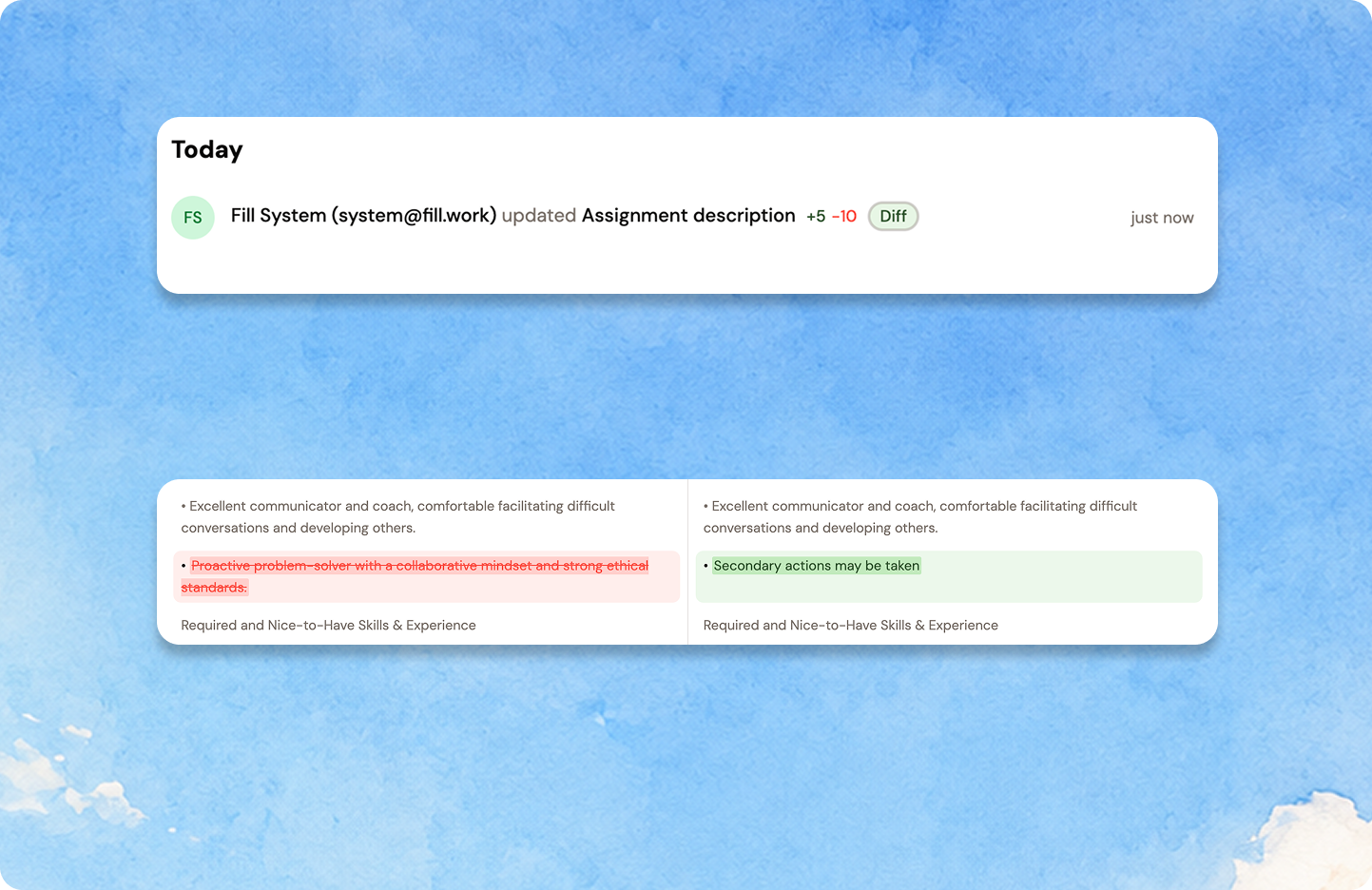
When someone edits a job description or another long text field, the activity feed now shows one tidy line instead of printing both versions in full: who changed it, and how many words were added and removed. A save that only touched formatting says so.
Select Diff to open the before and after side by side, with removed words struck through and new ones highlighted, so you can see what moved without reading both versions end to end. This now appears in the request activity feed for buyers and suppliers too, where these edits previously weren't shown at all.
September 17, 2026
See the period you are extending, before you double-book it
When you extend an assignment, the form now shows the period you are extending and the date it ends, so a start date that lands inside it is obvious. If the dates do overlap, a warning names how many days are already covered and by which assignment — on whichever field needs to move, with the fix that matches.
The same information reaches the person approving it: the approval now states what the extension extends and when that period ends, with the overlap flagged next to the decision buttons rather than somewhere further up the page. On a consultant's card, an overlapping extension carries a badge naming the days and the assignment they belong to.
Nothing is blocked. Overlaps are sometimes deliberate — a revised rate with the current period shortened afterwards, for instance — so the warning informs and the extension still goes through.

September 11, 2026
The Completion column now tells you how long is left
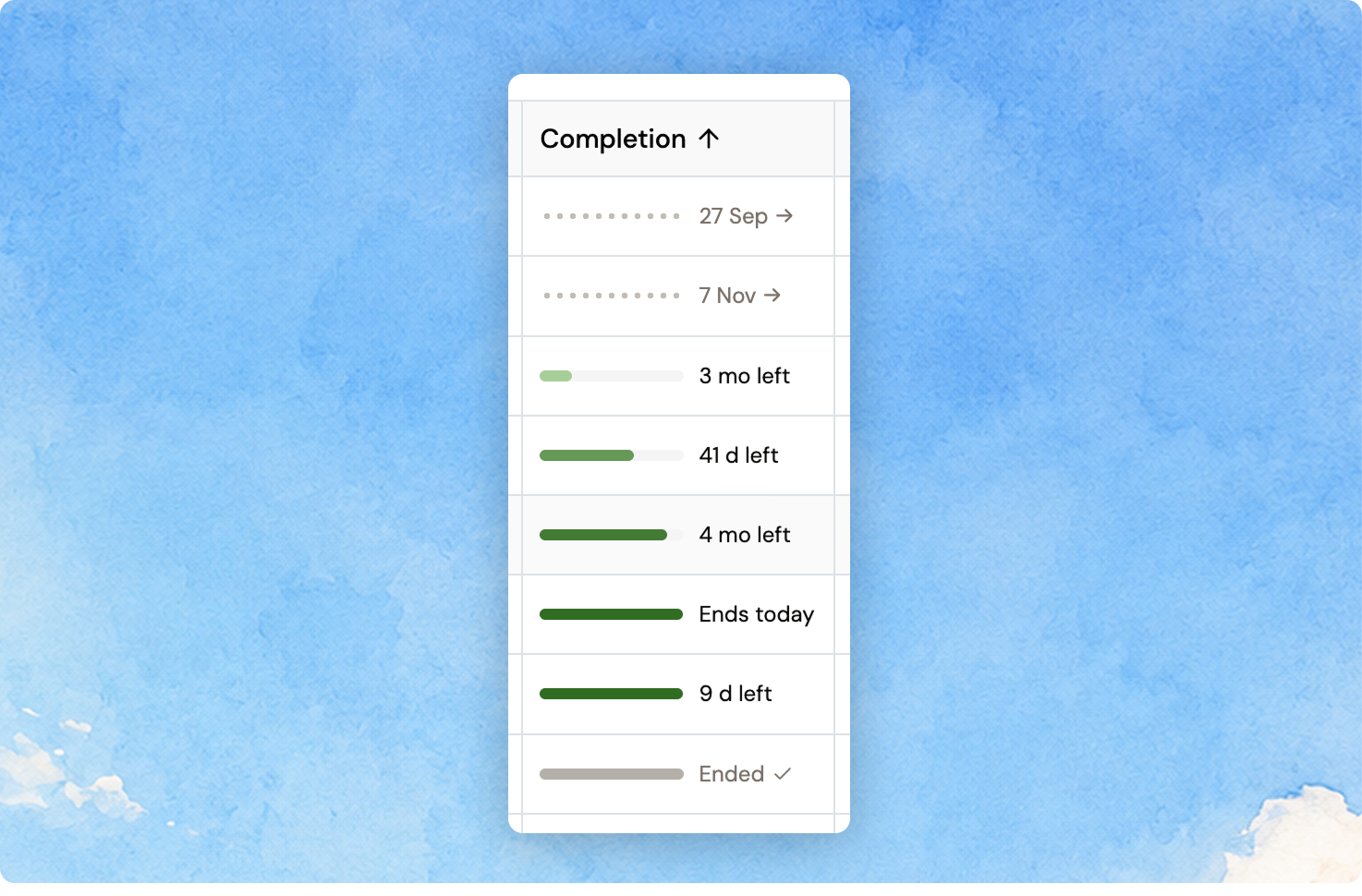
The Completion column on the Assignments list used to show a percentage in a pale bar that was hard to read at a glance. It now shows the time remaining instead: 4 mo left, 12 d left, Ends today.
The rail carries the state as well as the number — dotted with the start date for an assignment that has not begun, a green that deepens as the end date approaches, and grey once it has ended. Assignments closest to finishing are now the darkest rows in the column, so they stand out without reading a single label.
September 10, 2026
A contract start date that has already passed now tells you
When you generate a contract, the start date is filled in from what the request originally stated. On a request that has been open a while, that date has often passed — and nothing said so.
Now a start date in the past carries a warning under the field, on both the contract step and Move to signed. The date itself is left exactly as the request stated it and you can still choose a past date deliberately; the warning is only there so a stale date is never sent without someone having looked at it.
September 9, 2026
See exactly who approved what, and who it is waiting on
The approval chain on a request or an extension now sits in a card of its own, with one row per step: who it was, what they did, and when. A chip at the top names whoever it is waiting on — an administrator, a named executive, or you.
Every step says what happened in plain words instead of relying on a colour, so a request an administrator approved outright reads differently from one that went to an executive, and a step nobody was asked to take says so. The banners that used to repeat the same information above the chain are gone.
September 9, 2026
Documents in one place on a request
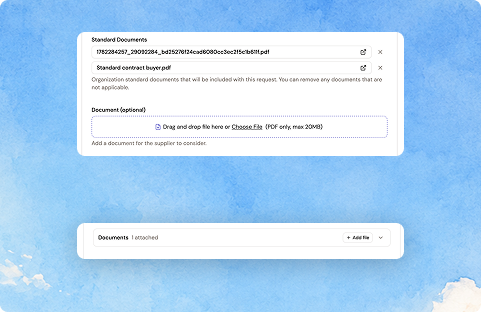
Standard documents and your own upload now sit in a single Documents field on a request, collapsed to one row showing how many are attached, with Add file right there. Open it to see your organisation's standard documents and anything you have added, grouped separately.
Removing a document now always asks first — including a file you uploaded a moment ago — and says plainly that it will not be sent to suppliers with this request, while your organisation's own settings stay untouched.
September 7, 2026
The final approval can now come from outside Fill
Requests and extensions often need a yes from someone who doesn't work in Fill — a manager's manager, a CFO, a CTO. Until now that meant screenshotting the request, emailing it out, and coming back to record the answer by hand, with the actual decision living in someone's inbox.
Whoever submits a request can now name the executive who decides. An administrator reviews it as before and selects Send for approval — only that person is emailed, with a private link. They open a read-only page, phone-friendly, with no login and no access to anything else in Fill, and choose Approve or Decline, adding a note if they decline.
An approval is the final decision: no second administrator approval, and the request moves on. A decline comes back with the note attached. Either way the chain is on the record and attributed — who submitted, who sent it out, who decided and when — on the request itself and in the approvals list. Assignment extensions work the same way.
Executive approval is configured per organisation alongside the approval workflow; ask your Fill contact to switch it on.
September 2, 2026
Reference any request or assignment by ID
Requests, assignments, approvals and consultants now carry a short reference code you can use to talk about a specific one — in your own procurement system, in a support conversation, or just to tell two identically named assignments apart.
Turn the ID column on from any list's column settings, or read it on the detail view. Hovering shows the full identifier, one click copies it, and exports always include the full identifier even when the column is hidden.
September 2, 2026
A tidier Consultants page
Page-level actions on the Consultants page now sit together in one menu in the header: Add consultant and View archived.
The table's own toolbar is left to table concerns — the table and timeline toggle, and the download button, which is now available to every user rather than only superusers.
August 28, 2026
Start a request with the role, not the paperwork
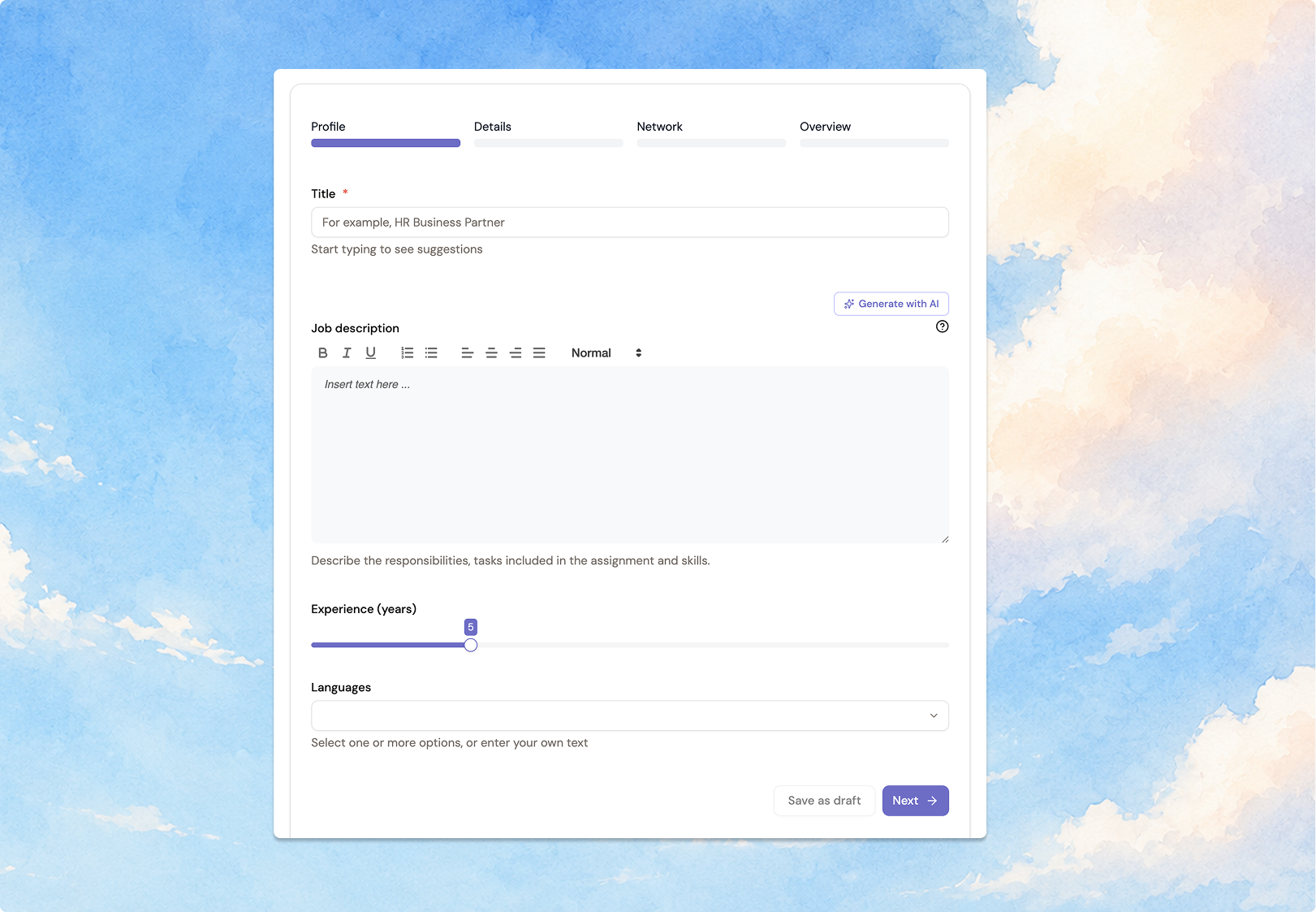
The request form now opens on Profile instead of Details, so you begin by describing the role — title, job description, experience and language — before filling in the administrative fields.
The job description box grows with your text as well, so a longer brief no longer scrolls inside a small window. Everything you enter is saved exactly as before.
August 28, 2026
Filter candidates straight from the funnel
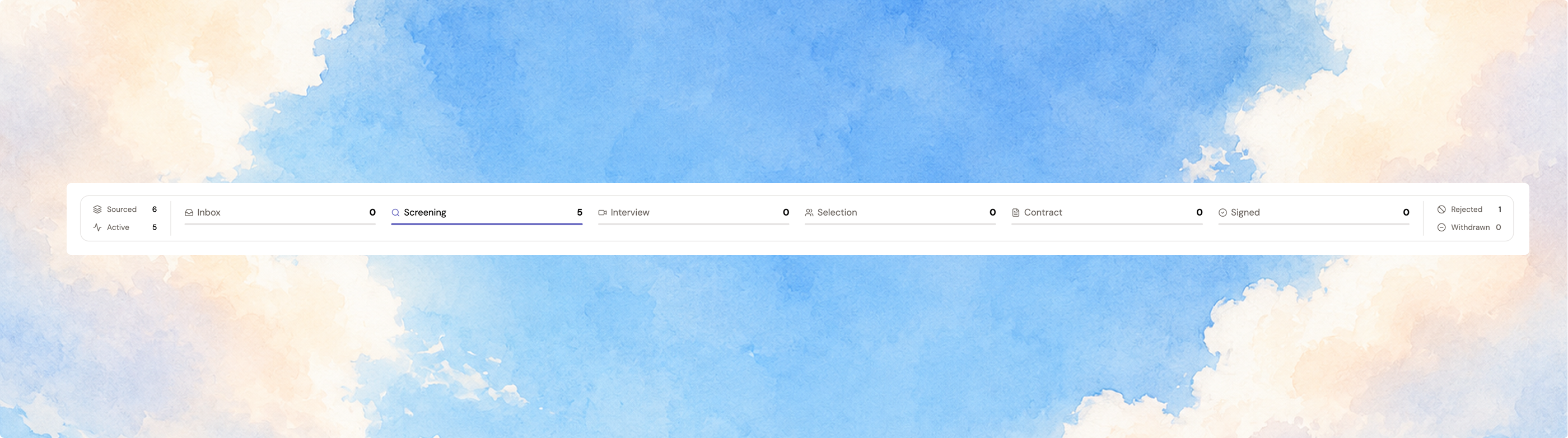
The candidate summary on a request report is now one full-width strip, and every stage in it is clickable.
Select Interview to narrow the list to candidates at that stage, add Contract to see both at once, or select Sourced to go back to everyone. Rejected and withdrawn candidates work the same way, and your search term stays put while you filter.
August 28, 2026
No more counting zeros in money fields
Amounts have always displayed grouped when you read them, but not when you edit them — “1 720 000” in the assignment details became “1720000” the moment you clicked Edit.
Money inputs now group thousands as you type: assignment value, contract value, hourly rates, budgets and compensation. Viewing and editing finally match, and a misplaced zero on a six- or eight-digit amount is far easier to spot.
Pasting is forgiving too — 1 720 000, 1,720,000, 1.720.000 and 1720000 all resolve to the same number. Workload percentages stay ungrouped, since “1 000%” would help nobody.
August 26, 2026
Every candidate action, always within reach
The buyer candidate card now has a floating action bar that stays visible as you scroll — Reject, Book interview, Create contract, Comment, and Chat, with rarer actions like Test candidate, Background check, and Move to signed in a More menu.
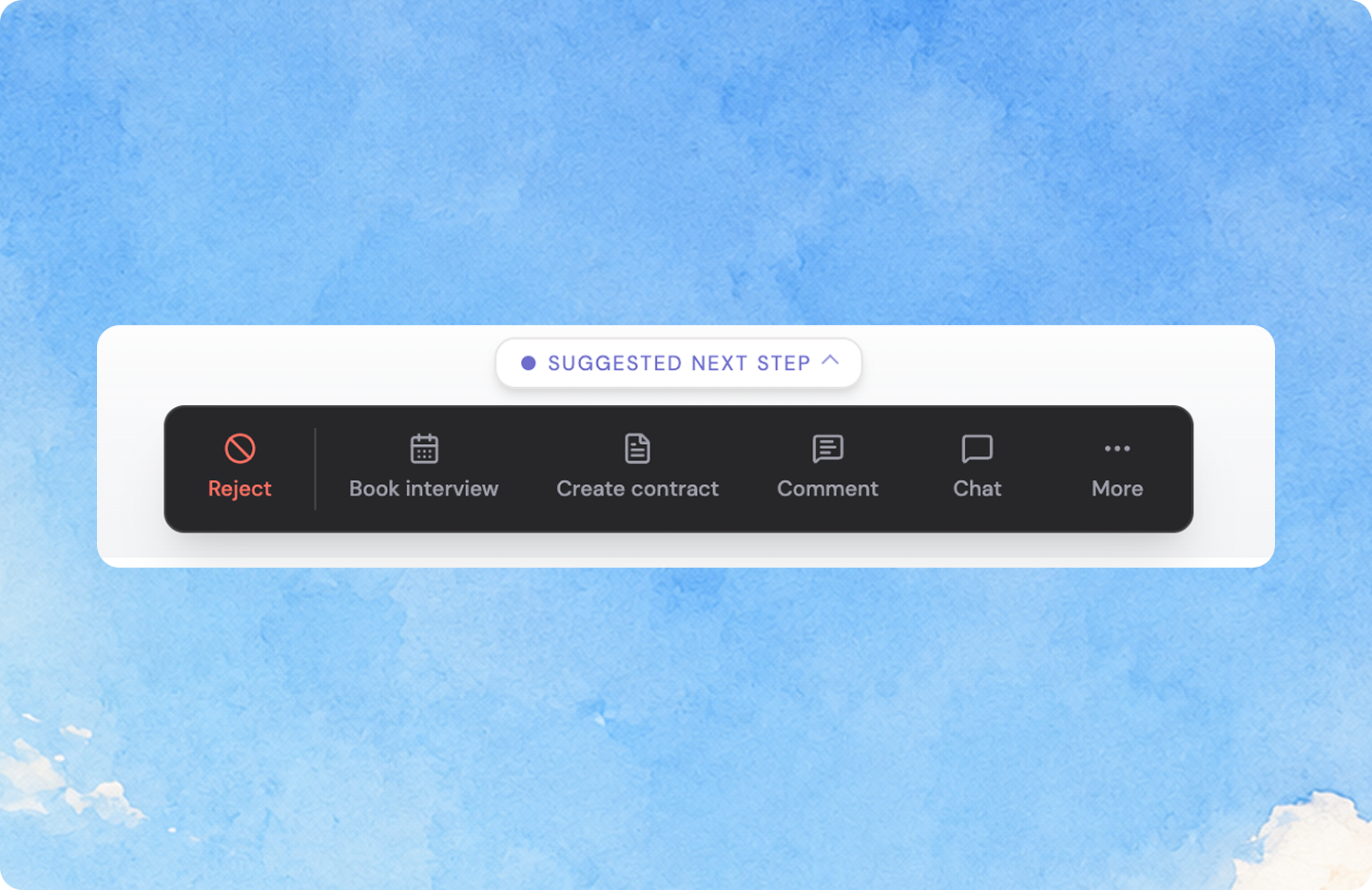
Above it, a suggested next step tells you in one sentence where the candidate stands and what to do next — and the tip itself is the button. For contracts out for signing you get a three-step progress rail instead. Fold the guidance away per stage once you've learned it.
Test score and Interview rows now persist on candidate details once they've happened, instead of disappearing as the candidate advances.
August 20, 2026
Bring your own field to every engagement
Buyers can now track requests and assignments using their own internal language — a category with a name and value list that's entirely theirs, shown on the request, at approval, on the assignment card, and in the assignment list's filters and export. It's configured by your Fill contact per organization, and it's never visible to suppliers on any surface.
August 20, 2026
Never miss a blank cost center, department, or manager on a contract
Cost center, department, and manager used to arrive blank on the Create contract form with no visual difference from the pre-filled fields. Each now shows a warning the moment it's empty, with a banner naming what's missing — and generating the contract with details still blank asks you to confirm first.
August 20, 2026
See each consultant's total assignment count at a glance
The Consultants list has a new Assignment count column showing the total number of assignments for each consultant — no more opening a consultant to gauge their engagement history. Sorts numerically, right alongside the existing columns.
August 20, 2026
Add contract step no longer skipped when adding or extending an assignment
When adding or extending a consultant assignment, the dialog used to close right after the first step — skipping the Add contract step where you upload a signed contract or generate one via Oneflow. The dialog now stays open through that step, so you can attach or generate the contract in the same flow.
August 20, 2026
See each consultant's full assignment timeline
The Consultants list now has a table⇄timeline toggle, just like Assignments. Switch to timeline and see one row per consultant, with every assignment as a bar on their track — so gaps between engagements and total tenure are visible at a glance.
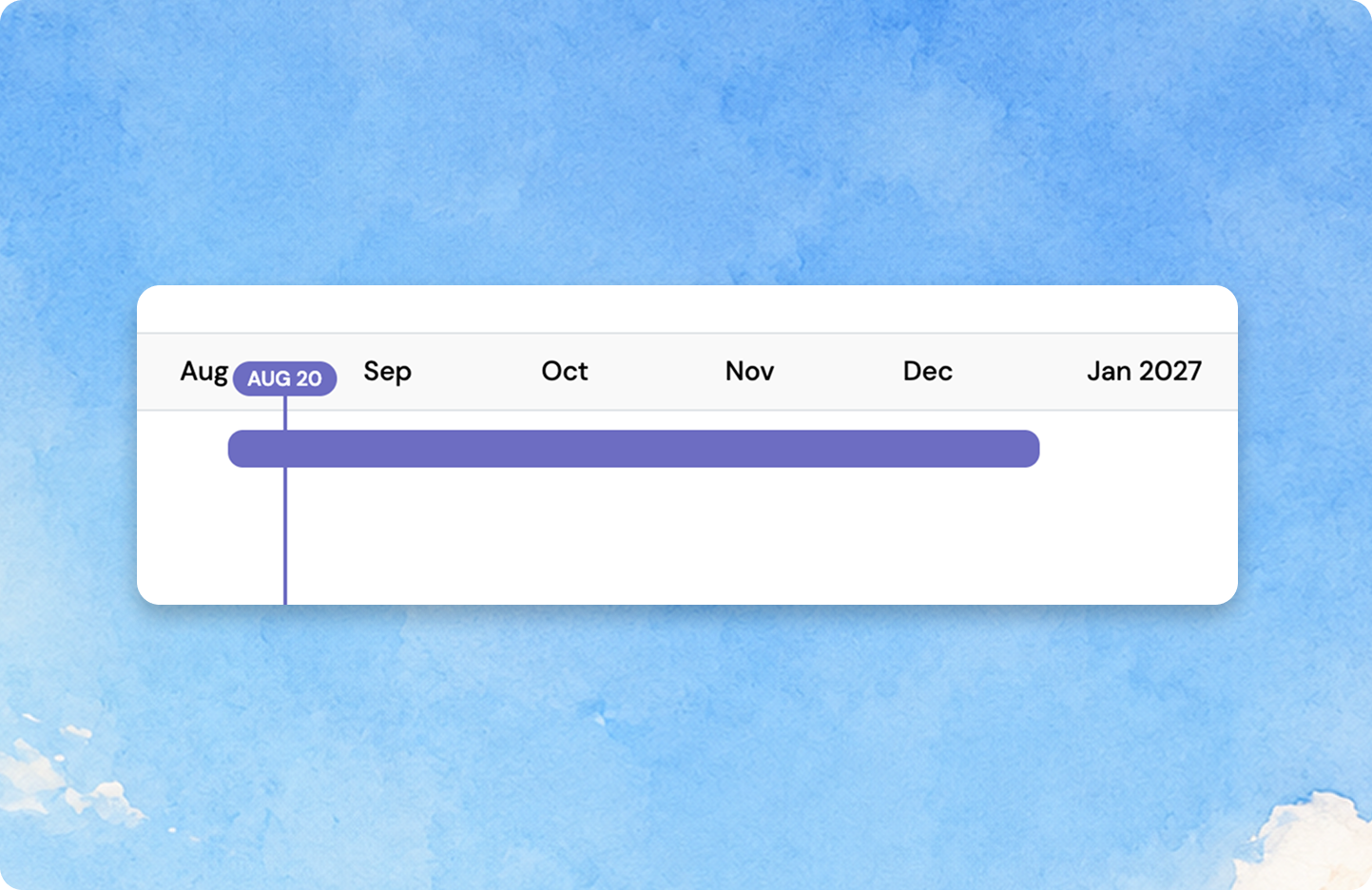
Consultants with no dated assignments land in an Unscheduled bucket, and the timeline respects whatever search, filters, and sort you already have applied.
August 14, 2026
Compare candidates side by side
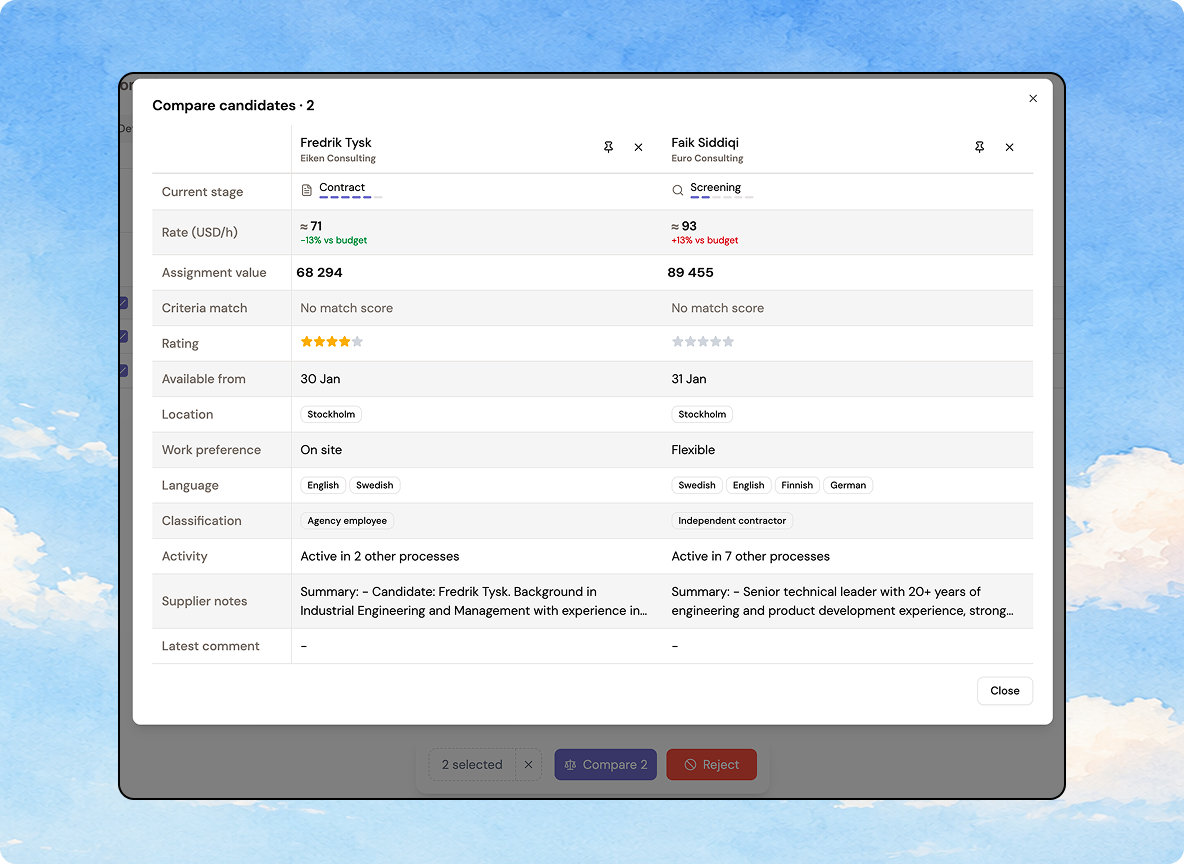
Stop comparing candidates from memory. Tick 2–10 candidates in an interim report and open Compare to see rate, profile match, rating, availability, language, and supplier notes side by side in one grid.
Pin your frontrunners so they stay visible while you scroll the rest, add or remove candidates without closing the view, star-rate inline, and click a name to open the full candidate card on top.
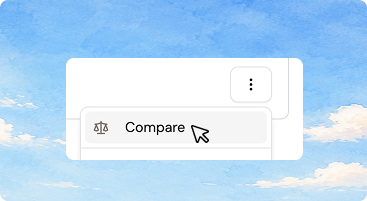
You can also start a comparison straight from a candidate card's Next step menu.
August 11, 2026
Drag to reorder columns on the Consultants table
Open the Columns menu on the Consultants table and drag columns into the order that matters to you — your order sticks after you reload.
Consultants table only for now, with more tables to follow.
August 11, 2026
Meeting duration now remembers your last pick
Booking several interviews back to back? The duration dropdown in the request-meeting modal now opens at whatever you used last, instead of resetting to 30 minutes every time.
Candidate and supplier meetings are remembered separately, and it's saved per device.
July 30, 2026
Candidate stage counts now match the table
The stage counters at the top of your Candidates tab were counting rejected and withdrawn candidates, while the Current stage column showed a dash for those same candidates — so the numbers never quite added up.
Both now agree: the counters only reflect active candidates, and rejected or withdrawn candidates show their outcome clearly in the stage column instead of a blank dash.
July 21, 2026
Classification columns now use a fixed berry tint
Assignment classification columns now show a colored dot chip too, using a fixed berry tint family since these values carry status meaning rather than arbitrary categories.
July 21, 2026
Departments now get a color-coded dot
The Department column in the Assignments table now shows each value as a chip with a small colored dot — the same department always gets the same color, making long lists easier to scan.
July 15, 2026
Locations now show as a chip, not plain text
The Assignments table's Location column is now an outline chip with a map-pin icon, matching the recently added Department chip style. Multiple locations show as one chip; sorting and filtering are unaffected.
July 9, 2026
Long titles no longer push the page sideways
A long request title used to stretch its column until the whole page scrolled sideways. Long titles are now capped and truncated with an ellipsis, with the full title available on hover.
July 11, 2026
Tables remember your sort and filters
Sort or filter a table, navigate away, then come back — your view is exactly as you left it. This now applies across every table in the app.
July 10, 2026
Request 90-minute meetings
The meeting-duration option only went up to 60 minutes. It now offers 90 too, with the booking engine offering an hourly start for anything over an hour so a longer meeting doesn't waste half the available booking window.
July 9, 2026
Tooltips no longer linger when you move on
Adjacent tooltips used to overlap for a beat as one faded out while the next appeared. They now disappear the instant your cursor leaves the trigger.
July 14, 2026
See your assignments on a timeline, not just a table
Fill's Assignments list now has a Table ↔ Timeline toggle. The timeline view plots each assignment as a bar on a shared month axis — ongoing solid, upcoming dashed, completed grey — so overlaps and gaps are easy to spot at a glance.

July 6, 2026
Suggested suppliers when you build a request
When you choose which suppliers to invite, Fill now surfaces a tailored shortlist from your company network instead of a flat A–Z list. Suggestions are based on signals in the request itself — location, role, and skills — plus supplier profile details like frame agreements and focus areas.
- See why a supplier was suggested, on request.
- When there isn't enough signal to make a confident suggestion, Fill steps back rather than guessing.
Fewer good-fit suppliers get forgotten, and two people handling similar requests end up with more consistent shortlists. You stay in contro. Fill advises, you decide.
July 6, 2026
Know frame-partner status before you pick a contract template
When you start a contract, Fill now tells you up front whether the supplier is a frame-partner of your organisation.
- No more remembering which suppliers are frame-partners or checking with procurement.
- Pick the right template the first time, with the correct frame-agreement terms.
For teams where most contracts go to frame-partners, that's the difference between one clean step and a parallel process outside the platform.
July 3, 2026
Activity feeds got a cleaner look
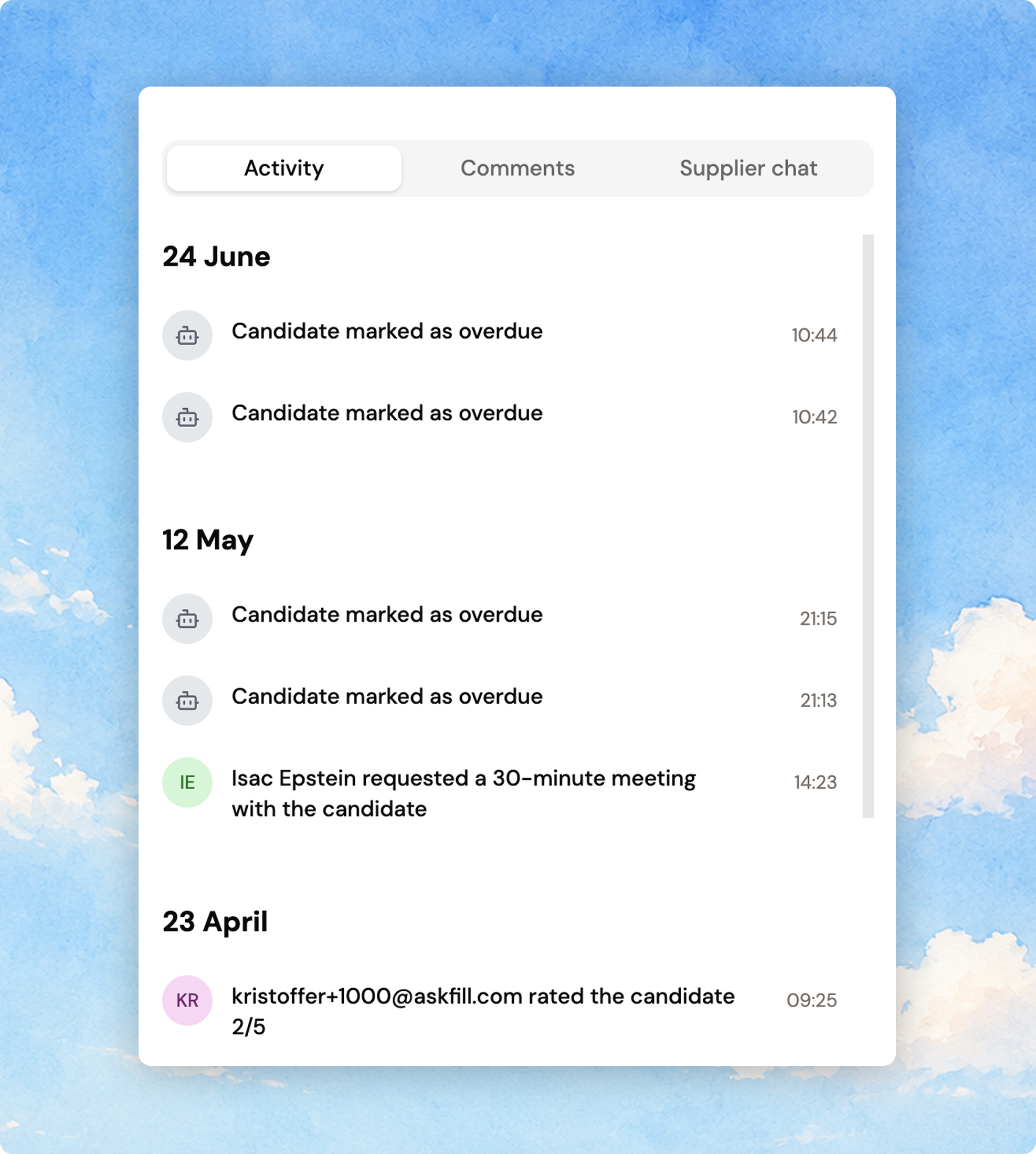
Entries used to stack over 2–3 lines with a bulky centered date badge and grey comment bubbles. Now each one reads as a single sentence with a small initials avatar, day headers (Today / Yesterday / 23 June), and a lighter left-accent style for comments. Same activity, easier to scan — across request, candidate, and assignment feeds.
July 3, 2026
See when each candidate was added to your request
The candidates table now has an "Added" column showing how long ago each candidate landed — "today", "yesterday", "3 days ago" — with the exact date on hover, plus a matching badge in the candidate card header. Hidden by default; turn it on from the table's column selector and it sticks.

July 3, 2026
Assignment details now read top to bottom
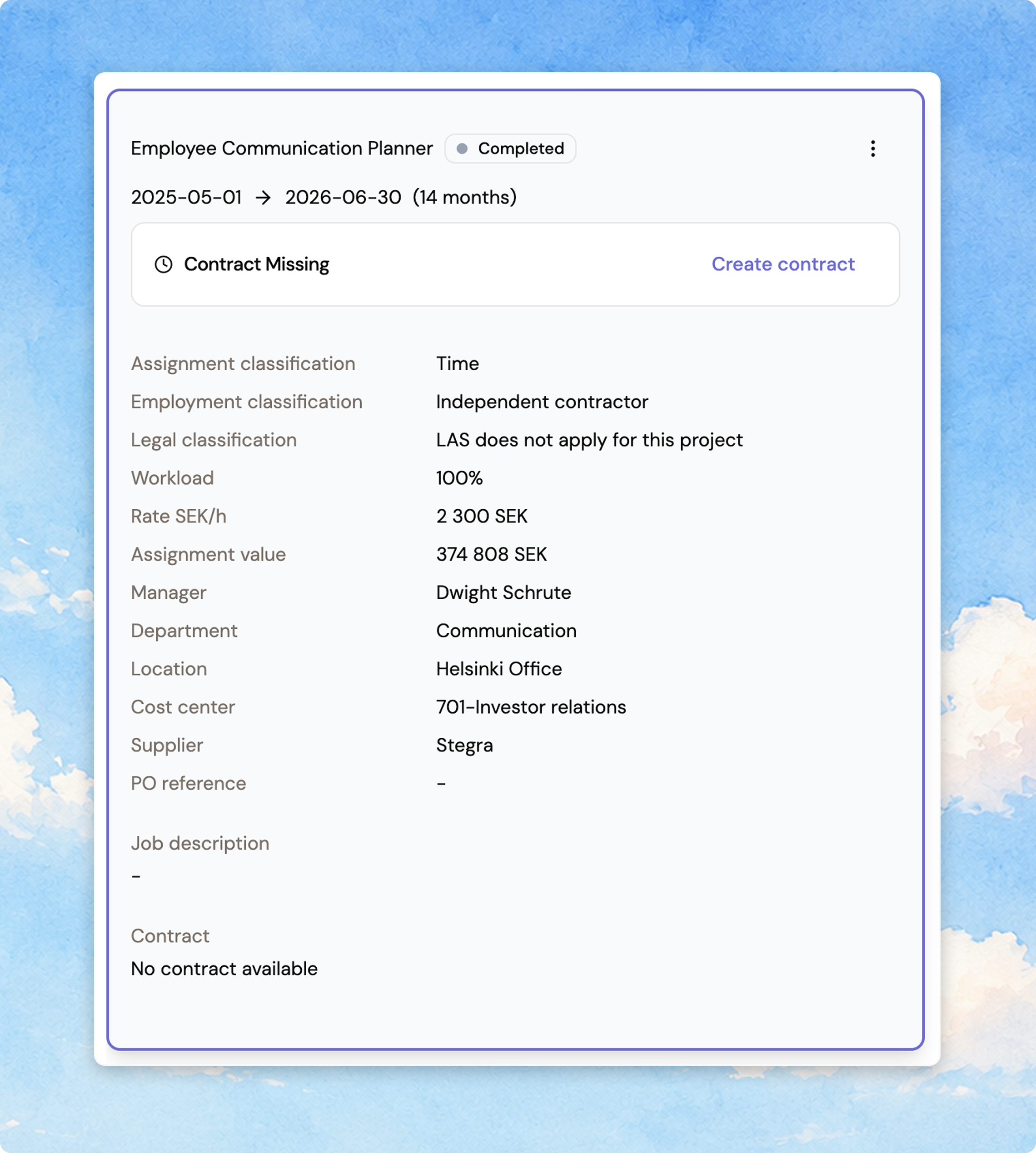
The assignment-details card used to cram its 12 fields into a 3-column grid, which was hard to scan. It's now a single vertical label-value list — the same pattern the interim candidate card already uses — so both detail cards read consistently, top to bottom. Same fields, same order, just easier to follow.
June 30, 2026
Record a LAS employment-offer decision earlier
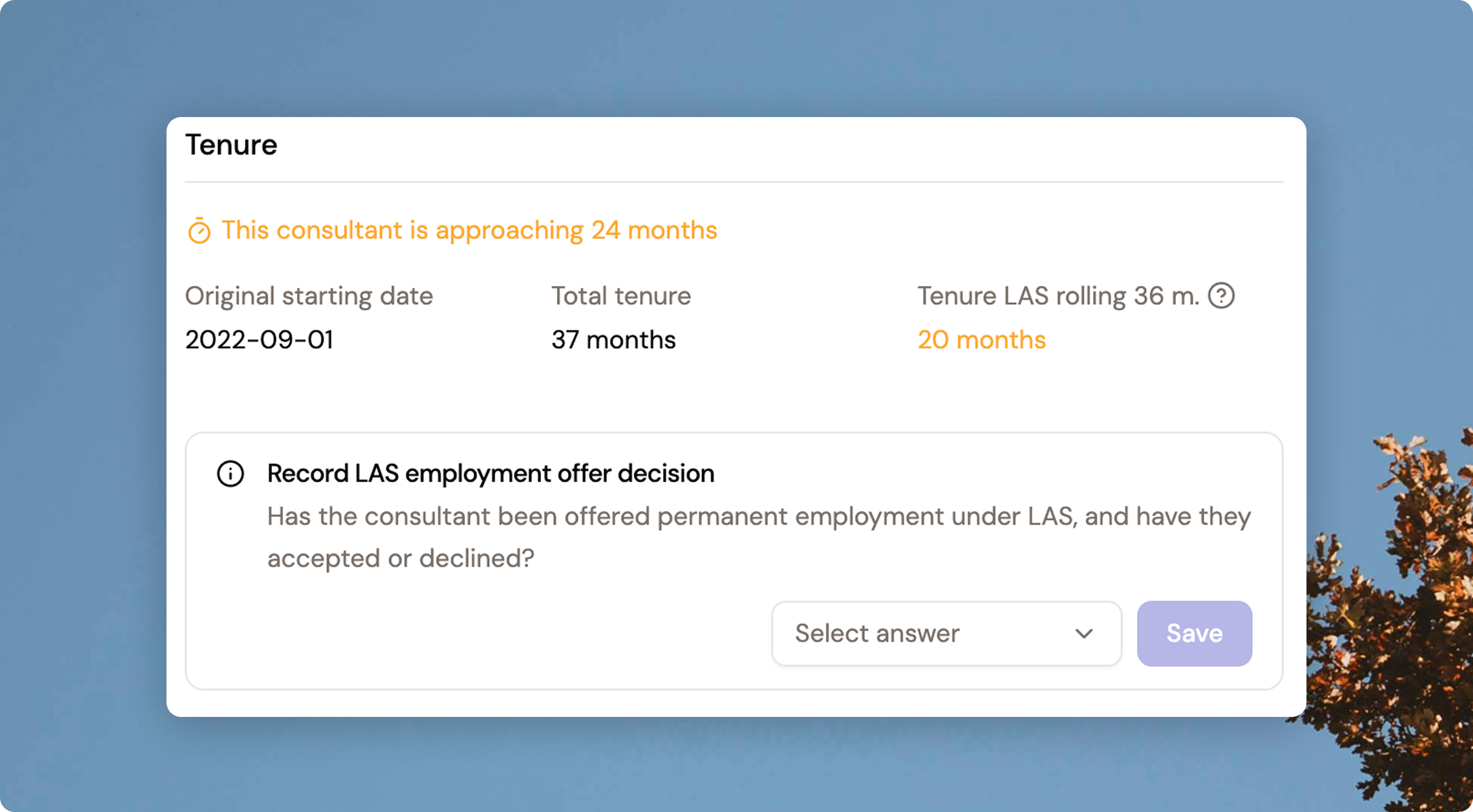
When a consultant approaches the 24-month LAS limit, you're warned from 20 months of accumulated tenure — but until now the accept/decline employment-offer card only appeared at 24 months, leaving a gap with nowhere to act. The decision card now appears from 20 months, so you can record your decision as soon as you're warned. Declining in that window also stops the reminder emails.
June 30, 2026
See how far along each candidate is at a glance
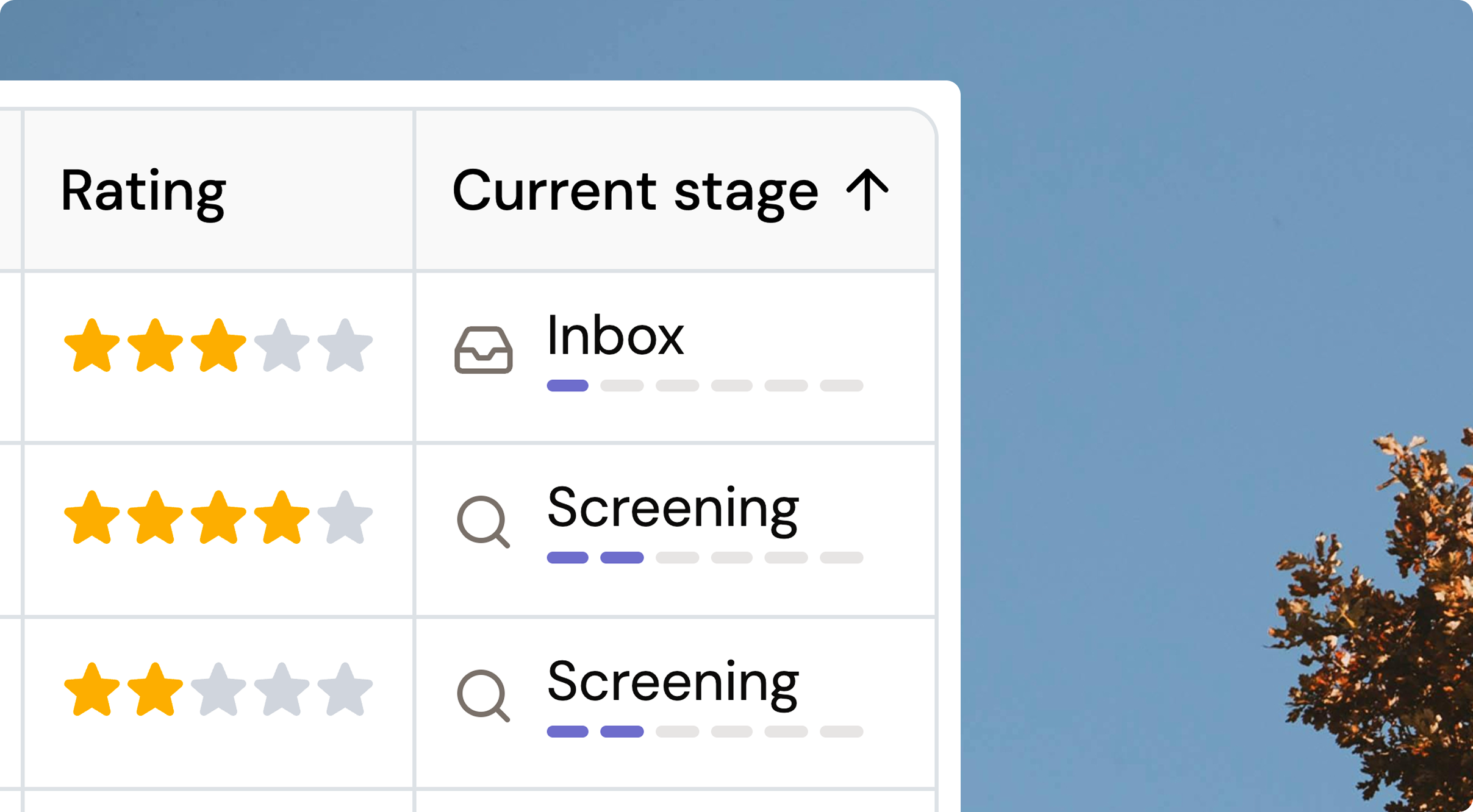
The “Current stage” column in a request's Candidates list used to be plain text. It now shows the stage icon, the stage name, and a small six-step progress meter (Inbox → Screening → Interview → Selection → Contract → Signed) — so you can tell a fresh applicant from a near-hire at a glance, without reading every row.
June 25, 2026
Meeting availability picker now shows your time zone
The “Request a meeting” availability picker now labels which time zone the slots are in, so a hiring manager in a different zone from the candidate can't misread the times. It also surfaces the candidate's bookable window (Swedish office hours), so you won't offer slots a candidate could never book.
June 25, 2026
See where an extension stands in approval
A pending extension used to be a dead-end “under internal review” note. It now shows a small timeline on the assignment card — Submitted → Waiting for approval → Ready for contract — so you can see what's happening and what's next. If it's sent back, you'll see the reason plus an Update & resubmit action.
June 25, 2026
Clearer, consistent KPI cards on the request Suppliers tab
The KPI cards on a request's Suppliers tab are now four uniform single-number cards — including a colour-tiered Acceptance rate card, like the Contract health one — so you can see at a glance whether your sourcing is landing.
June 25, 2026
Active filters tucked onto the toolbar row
Your active filter chips and Clear all now sit on the same row as a table's toolbar (search, filter, export, columns) instead of taking up a separate row below — so tables use less vertical space. The toolbar buttons stay put, and the filter chips wrap as needed.
June 25, 2026
Table headers now stand out from the rows
Every table now shows its column-header row in a subtle grey instead of blending into the white body — a small contrast tweak that makes any list easier to scan at a glance, across the whole app.
June 22, 2026
Cost centre is now searchable on Create contract and Move to signed
Following the assignment forms, the Cost centre field on the Create contract and Move to signed steps is now a type-to-search typeahead instead of a scroll-the-whole-list dropdown. Click to see the full list, or start typing to filter by name or number — and a prefilled cost centre is kept when you reopen the form.
June 16, 2026
Review your whole request on a new Overview step before submitting
The IRFP request flow now ends with an Overview step that shows your entire request on one page — Details, Profile and Network together — so you can check everything before you submit.
Spot something to change? Click any earlier step in the tracker, edit it, and come back to the Overview with your updates reflected. Submit straight from the Overview; if a required field is missing or a date is off, the button stays disabled and the step that needs attention is flagged in the tracker.
June 23, 2026
Frame-partner awareness at contract creation
When you start a contract with a supplier your organisation has flagged as a frame partner, Fill now surfaces that relationship right where you choose the template — so you pick the correct frame-agreement template the first time, without having to remember it or check with procurement.
A frame-partner indicator appears at the top of every contract-creation surface: requesting a contract from a candidate report, adding or extending a contract on an assignment, and adding a contract to an existing assignment. It's purely informational — it points you to the right template but never pre-selects, blocks, or sends anything automatically, so the choice stays entirely yours. Frame-partner status is resolved per organisation, so a supplier flagged by one buyer is never visible to another.
June 11, 2026
A new branded loading spinner
Fill has a new loading animation: six dots bloom out into the brand mark, hold a beat, then resolve — looping. It respects reduced-motion preferences.
June 11, 2026
Sidebar notification badges are now soft indigo
The Inbox and Approvals count badges used to be a flat grey that blended into the sidebar. They're now a soft indigo — visible enough to catch your eye when there's something to act on, calm enough not to feel like an alarm.
June 11, 2026
“Frame agreement” is now “Frame partner”
We've updated the label everywhere it appeared — the network table, supplier KPIs, the supplier detail view, and the preferred-supplier list. The terminology now matches how we actually talk about these relationships.
June 11, 2026
Report header process indicator redesigned
The chevron-based status bar in the interim report header is now a cleaner pill-group layout — process stages on the left, terminal stages (Sourced / Rejected / Withdrawn) on the right. Flat and responsive at every screen width.
June 11, 2026
Candidate card details now use a clean vertical layout
Candidate details — location, work preference, rate, start date — used to sit in a cramped three-column grid. They now display as a single vertical list, label on the left and value on the right, matching the supplier portal.
June 11, 2026
Uploading a document now scrolls to show you the file
The Documents section often sits below the fold, so dropping a file used to complete silently — easy to think it failed and try again. Now the view scrolls down to Documents on upload, the new file appears in the list, and a toast confirms it went through.
June 11, 2026
Hiring-team avatars now show in the request header
On completed Interim requests you can now see who's on the hiring team directly in the header. Up to four initials avatars appear (owner first), with a +N chip for larger teams. Hover for name and role, or click to open the full Hiring team view.
June 18, 2026
Click the “Ongoing assignments” KPI to filter the table
The “Ongoing assignments” card on the Assignments page now has a Filter chip — one click drops the table straight to assignments that aren't finished yet, no hunting through column filters.
June 11, 2026
“Active consultants” now says what it counts
The “Active consultants” counter on the Consultants page picked up a subheading — “Consultants with ongoing assignments” — so the number is self-explanatory and matches the other KPI cards.
June 1, 2026
Chat permission banner now shows who can post
When you can't post in a candidate-card chat, the banner no longer leaves you at a dead end. A “See who can post” link opens the hiring team, so superusers can add themselves and everyone else can see exactly who to ask for access.
June 1, 2026
Create the contract right after approving an extension
When you approve an extension, the Create contract / Upload contract banner now appears right on the approval page, directly under “Extension approved”. No more jumping to the assignment, opening the worker card, and expanding the extended row just to get there — it's one step.
June 1, 2026
See who submitted a candidate — and their consent answers
The candidate card now has a Submission details section showing which teammate submitted the candidate, along with the consent answers (candidate consent, fee consent) captured at submission. You can also switch on a “Submitted by” column in the candidate list.
June 3, 2026
Edit & Withdraw are now buttons on the candidate card
Editing or withdrawing a candidate used to be buried in the card's overflow menu. Both are now action buttons right on the candidate card — same confirmations, just no menu-digging to find them.
June 4, 2026
Booking an interview opens the candidate chat
When you book an interview with a candidate, the buyer–supplier chat opens on the spot — so suppliers can message about prep or schedule changes without waiting on a buyer to start the conversation. Both portals now spell out exactly how chat opens.
June 18, 2026
Table filters tidied into a single menu
The row of separate column-filter dropdowns is now one funnel button in the toolbar, with a dot showing how many filters are active. Open it, pick a column, tick the values you want — the menu stays open so you can set several in one pass.
June 11, 2026
The inbox now slides in from the side
The inbox no longer interrupts you with a centred modal. It slides in from the edge of the workspace — pushing content aside on wide screens and going full-screen on smaller ones. Close it with X, Esc, or by navigating away.
June 15, 2026
The inbox panel got a Linear-style refresh
The slide-in inbox swapped its spreadsheet-style table for a clean stacked list, and every conversation now shows when its last message landed — “now”, “5m”, “14:23”, “Yesterday” — so you can tell at a glance what's fresh.
June 15, 2026
Cost centre is now type-to-search in assignment forms
Finding a cost centre no longer means scrolling the whole dropdown. In edit assignment, add consultant, and extend, just start typing to filter cost centres by name or number. Values stay locked to your organisation's list, and a previously saved cost centre sticks when you reopen the form.
June 1, 2026
May updates
Edit a published request
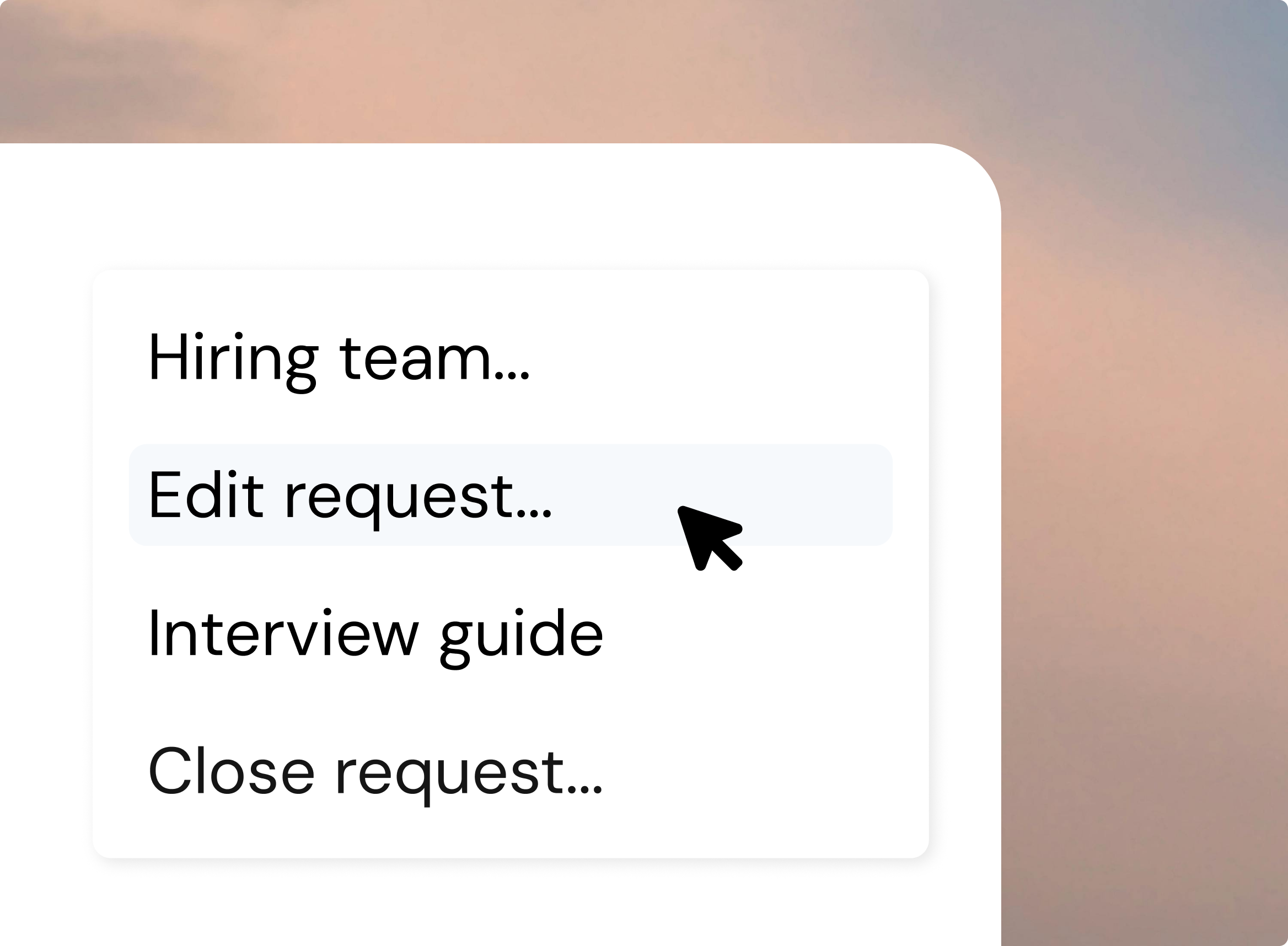
Buyer Admins can now fix their own published consultant requests directly in Fill like deadline, description, budget, and more with changes going live instantly. No more pinging Fill Admin .
A new Activity tab shows the full edit history: original submission plus every field change, with who changed it, when, and the before/after values. On save, you choose whether to email invited suppliers (off by default) and can add a message. Suppliers see changes attributed to your organisation — never an individual's name — and only edits made from their invitation onward.
Track purchase orders for each assignment
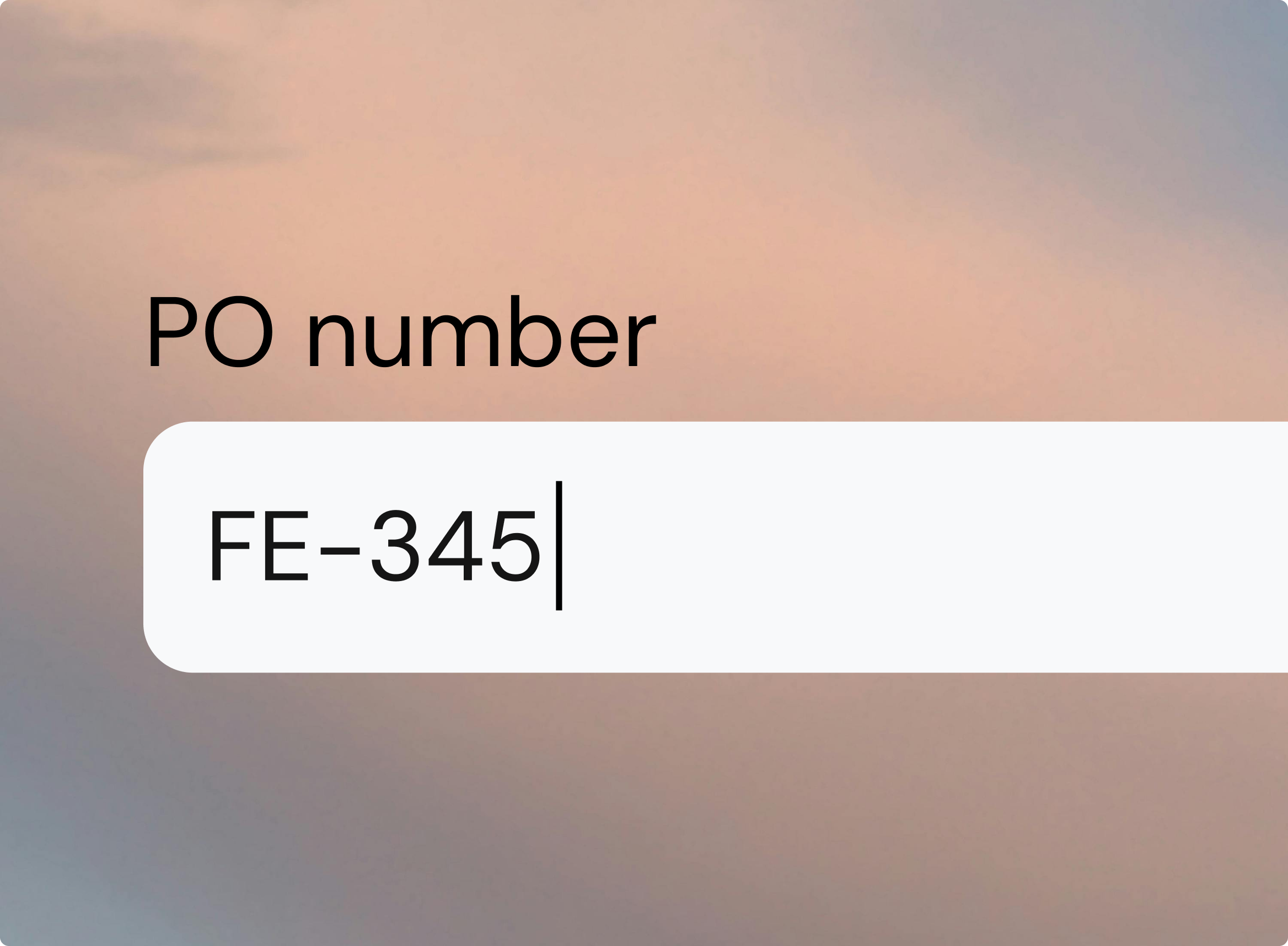
Procurement teams can finally track purchase-order numbers as real data. Add an optional PO reference when you create, edit, or extend an assignment. It gets its own sortable column in the assignment list and a clean column in the Excel export, ready to paste wherever it's needed. PO references are searchable, show on the assignment card and in the approval flow, and every change is logged in the activity feed. One PO can cover multiple consultants, and references are buyer-only — suppliers never see them.
Smarter supplier recommendations
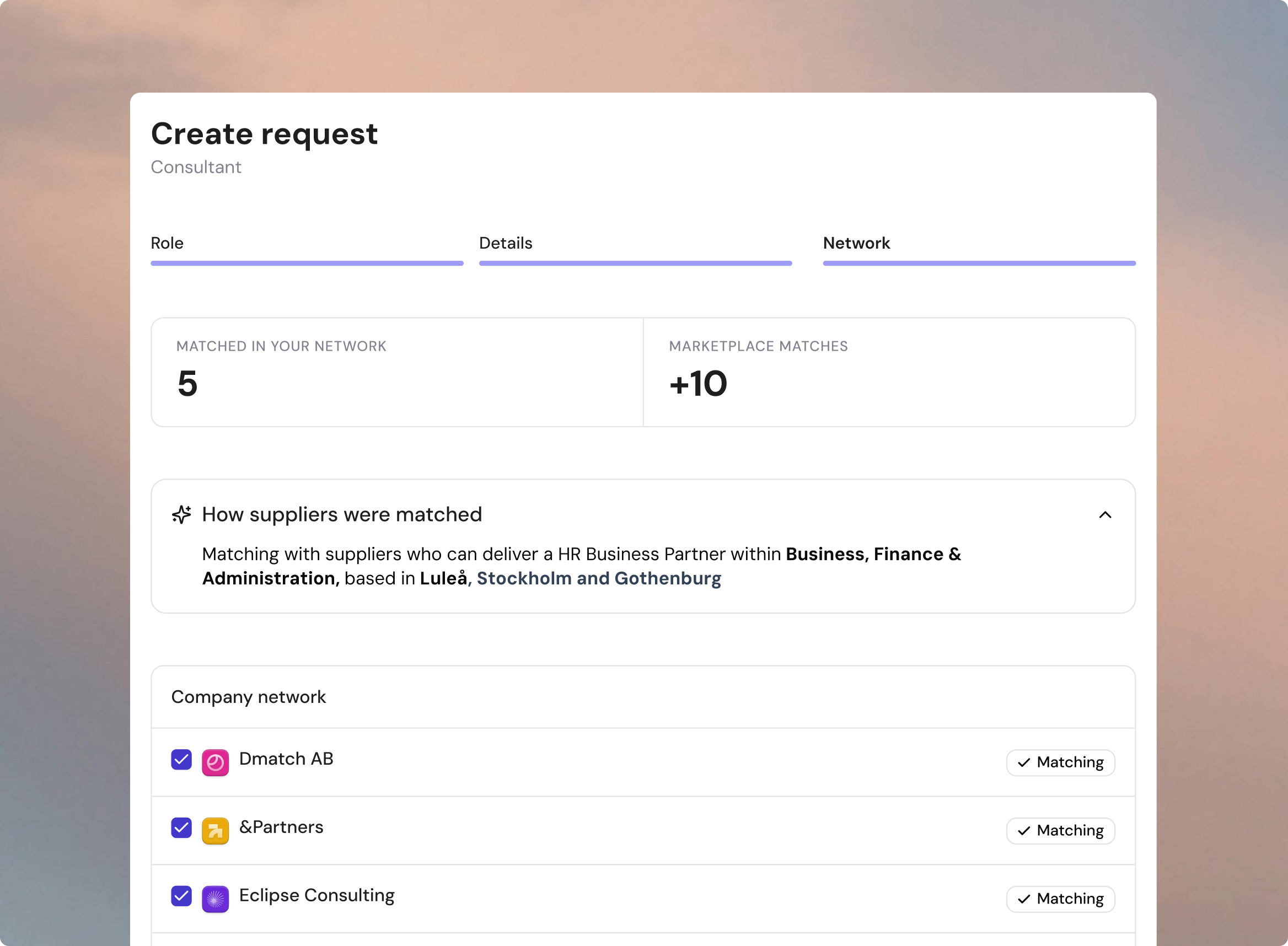
When you create an consultant request, Fill now suggests which suppliers from your Company Network to invite — replacing the flat A–Z list. You get a pre-ticked shortlist of network suppliers tagged Matching, picked from the request's role, location, and skills against each supplier's focus areas.
A "How suppliers were matched" summary lets you sanity-check what Fill understood before sending, and you stay in full control — deselect anyone, expand the whole network, or add suppliers Fill didn't surface. When there isn't enough signal, Fill shows the full network with no preselection rather than a misleading shortlist.
See every contract's status at a glance
A new color-coded Contract Status column (Missing, Pending, Signed) now appears in the Assignments table — so buyer admins and procurement teams can spot the gaps without clicking into individual cards. Filter the list to surface every missing contract instantly, sort by urgency (Missing first, then Pending, then Signed), and export it all to Excel with the same labels. Contract follow-up becomes proactive instead of reactive.
A Contract health KPI on the assignments list
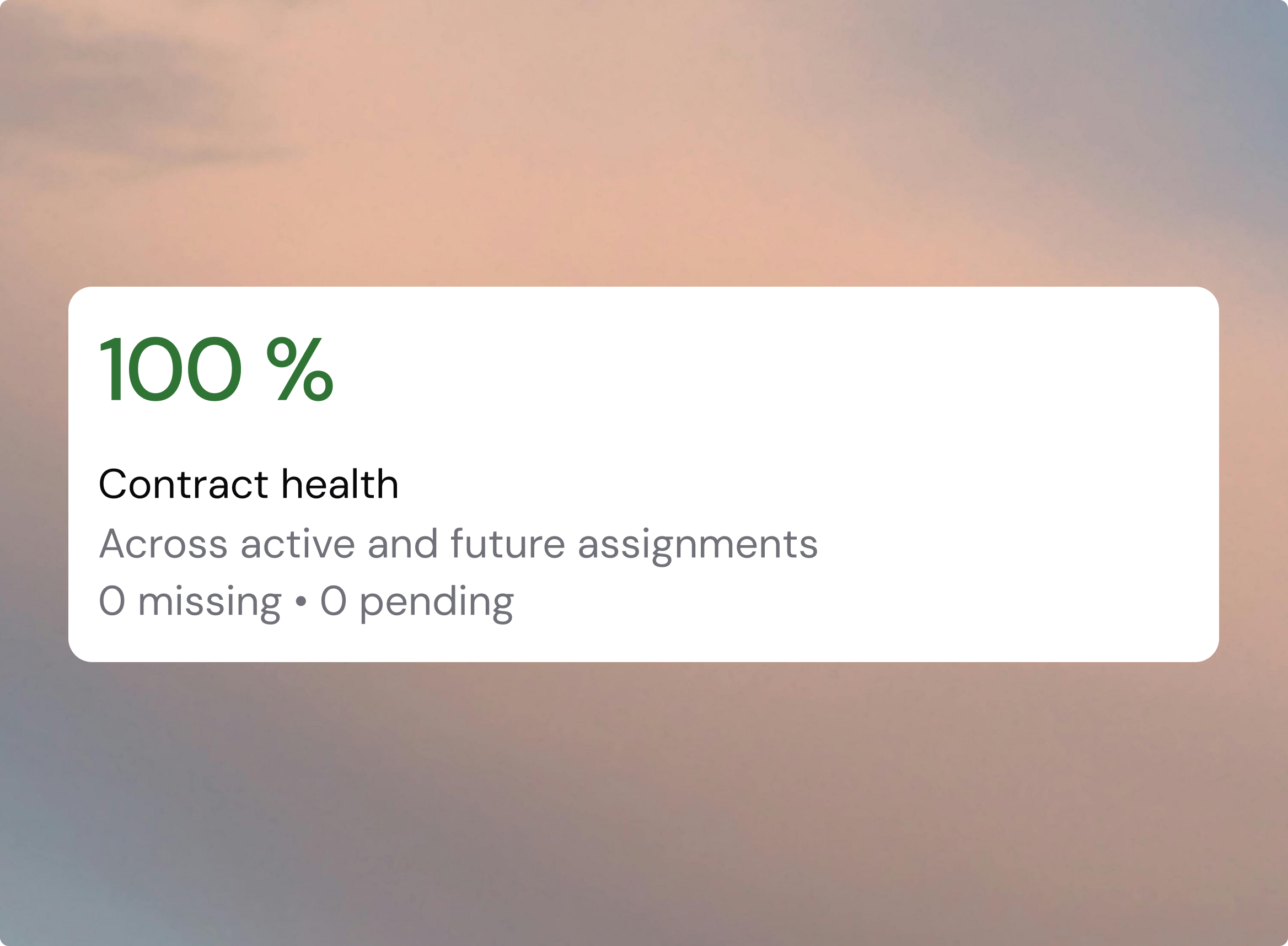
The buyer assignments list has a new Contract health KPI card showing the share of ongoing and upcoming assignments that have a signed contract — color-coded green, yellow, or red, with an "X missing · Y pending" subtitle. Its filter chip one-click filters the table to exactly those missing and pending rows, so you can jump straight to the gap instead of scanning the contract column by hand.
Booking an interview opens the chat automatically
When a buyer books an interview with a candidate, the buyer–supplier chat now opens on the spot — so the supplier can message about prep or schedule changes instead of waiting for a buyer to start the conversation. Both portals' empty states now spell out exactly how chat opens, replacing the old dead-end "Waiting for buyer to activate."
See the hiring team at a glance
On completed Interim requests, the hiring team now appears as avatars right in the request detail header — no more digging through the menu. Up to four initials avatars show (owner first), with a +N chip for larger teams. Hover for name and role, or click to open the full Hiring team modal.
May 1, 2026
April updates
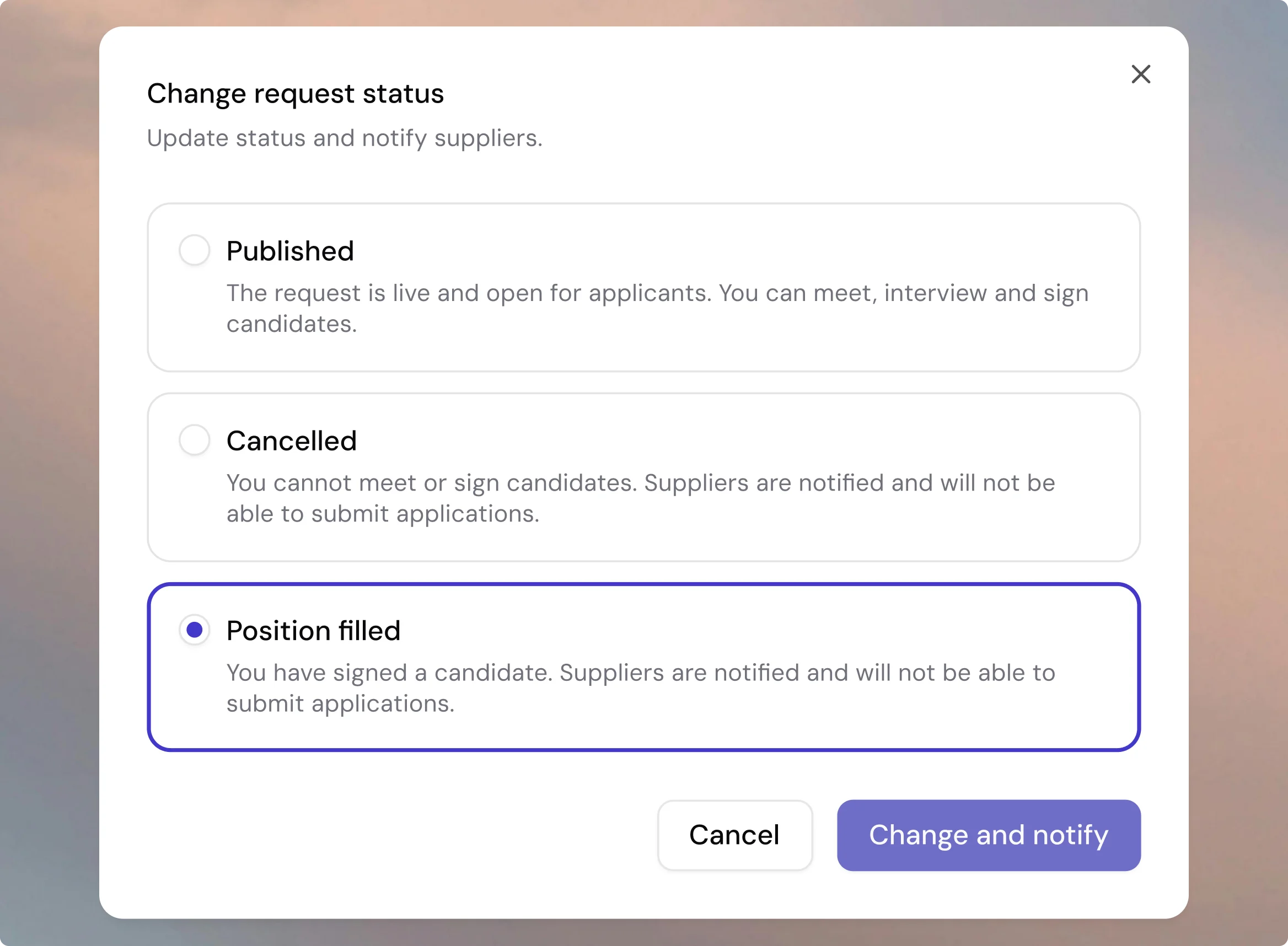
Mark requests as Position filled
You can now mark a request as Position filled once a candidate has been signed. The candidate pipeline becomes read-only, all parties are notified, and the request status accurately reflects that sourcing is complete. No more suppliers submitting candidates for positions that are already taken.
Activity feed for suppliers
Every candidate card now includes an activity feed tab, a clear chronological log of buyer actions such as shortlisting, interview invitations, and assessment requests. Suppliers also receive email notifications for these actions, so they stay informed without having to dig through chat history.

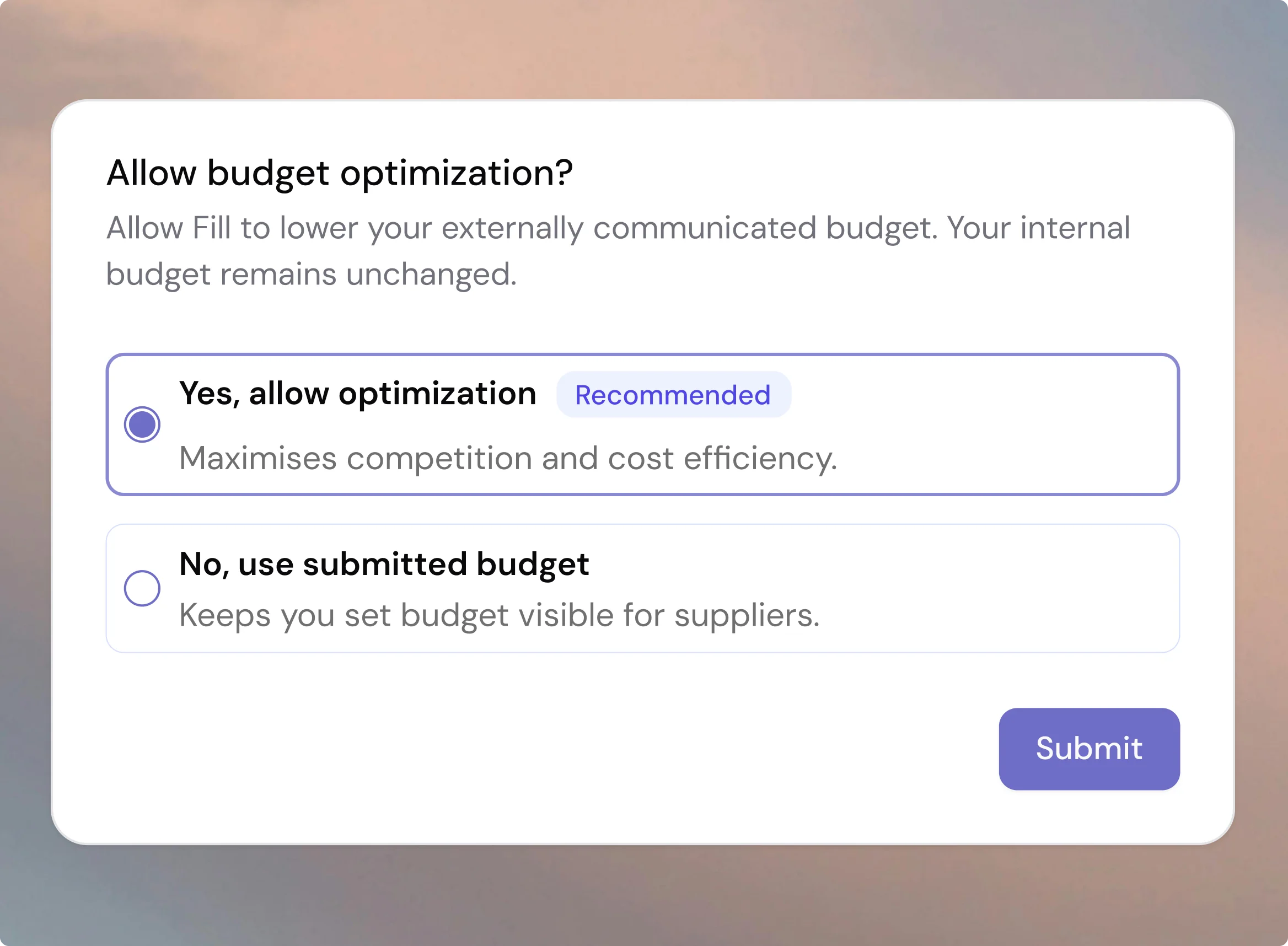
Save more on every assignment
Optimizing the rate communicated to suppliers is one of the most effective ways to reduce costs on consultant assignments. You can now set your preference at submission to increase the chance of getting the best possible rate.
Message suppliers directly on each candidate
You, as a buyer and a supplier, can now communicate directly within Fill, tied to the specific candidate the conversation is about. No more back-and-forth over email or phone that gets lost the moment the thread grows. Start a conversation from the supplier tab on any candidate card, and suppliers can respond from their side. Unread messages are clearly flagged, email notifications keep both sides in the loop, and conversations close automatically when a candidate is rejected or a request is filled.

April 1, 2026
March updates
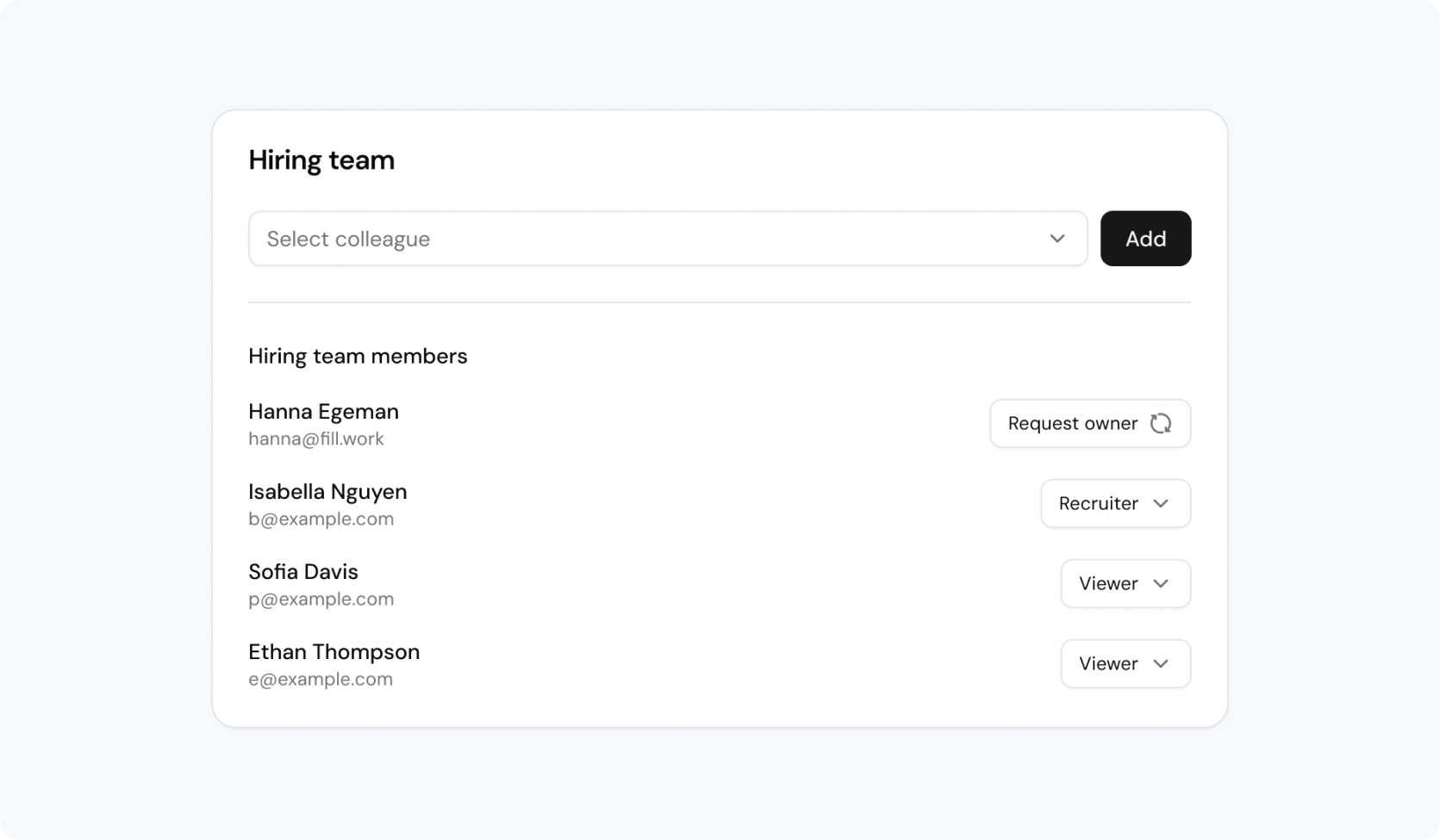
Collaborate as a team on RFP requests
You can now work together on a single request with multiple team members, no more switching ownership back and forth. Add colleagues to your hiring team and take candidate actions in parallel, while keeping one clear owner for accountability.
Each team member gets the right level of access, notifications, and visibility, making it easier to collaborate across roles and move candidates forward together without relying on superusers to manage access.
Archive consultants to keep your data clean
You can now archive consultants that are no longer relevant keeping your lists, search results, and analytics accurate and clutter-free. Archived consultants disappear from operational views but can be restored at any time if needed.
Archiving also includes all related assignments, ensuring no leftover data creates confusion. This gives you full control to maintain a clean, reliable consultant overview across your organisation.
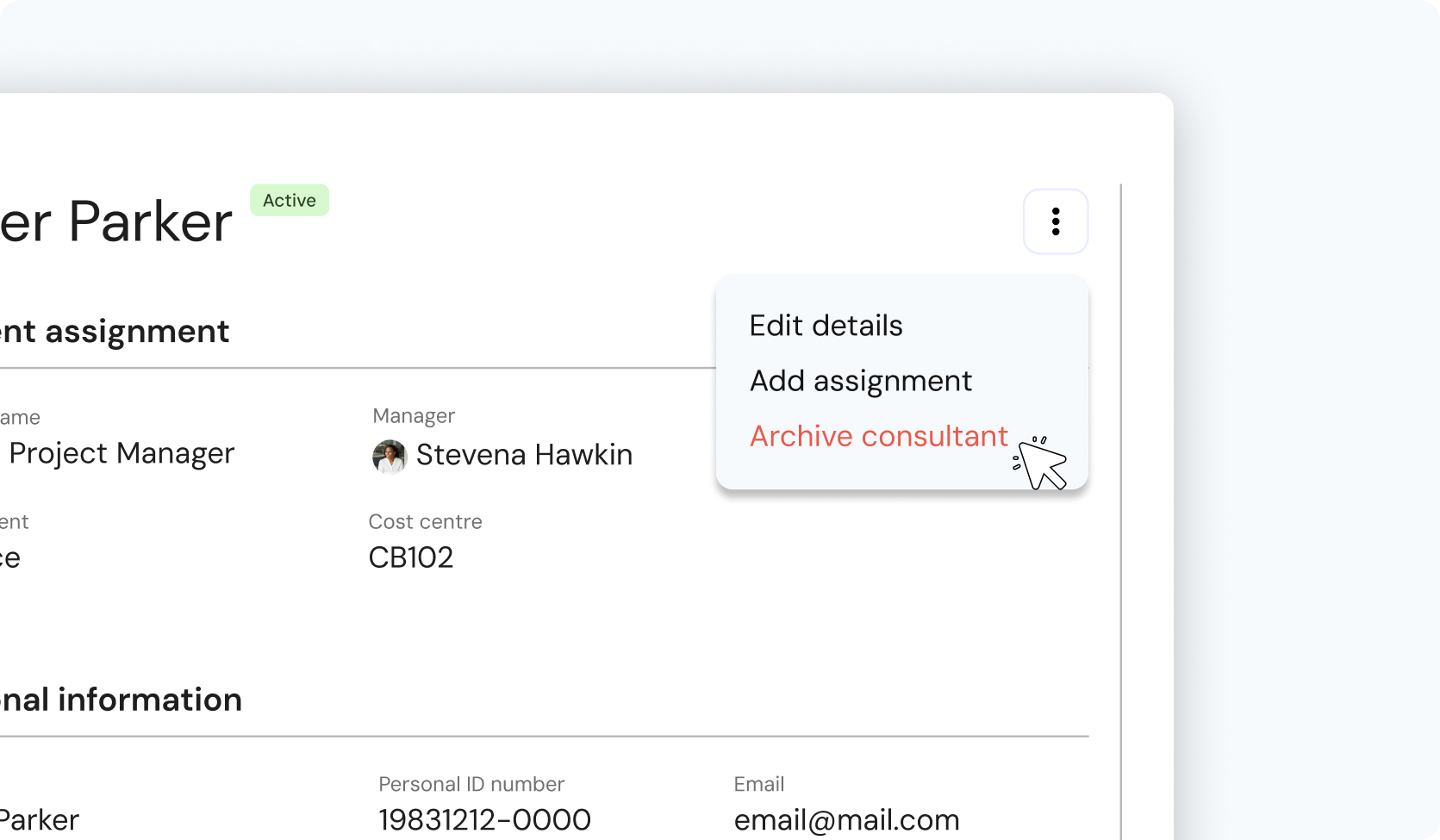
Get a monthly overview of upcoming contract endings
Superusers now receive a monthly summary of consultants with assignments ending within the next 60 days. Instead of relying on scattered notifications, you get one clear signal to help you stay ahead of renewals and workforce planning.
With a direct link to the filtered list, it’s easy to review upcoming expirations and take action without the noise of multiple alerts.
March 12, 2026
February updates
Smarter supplier communication and better interview scheduling
We’re introducing two improvements designed to make hiring workflows clearer, faster, and easier to manage in Fill.
You can now communicate directly with suppliers about specific candidates inside the platform, and improved interview management when connecting calendars. This to get better visibility when selecting interview times.
Together, these updates reduce friction, improve transparency, and help teams make better hiring decisions.
Buyer–Supplier conversations, now in Fill
Hiring decisions often depend on conversations with suppliers like clarifying experience, negotiating rates, or requesting additional documentation. Until now, these discussions frequently happened outside the platform through email, phone, or messaging tools. This made it difficult to track decision context and keep communication organised.
With the new supplier conversation feature, discussions about candidates now happen directly in Fill.
Each candidate now has a dedicated conversation thread where request owners can communicate with suppliers about that specific candidate. This keeps negotiation history, clarifications, and documents connected to the candidate they relate to.
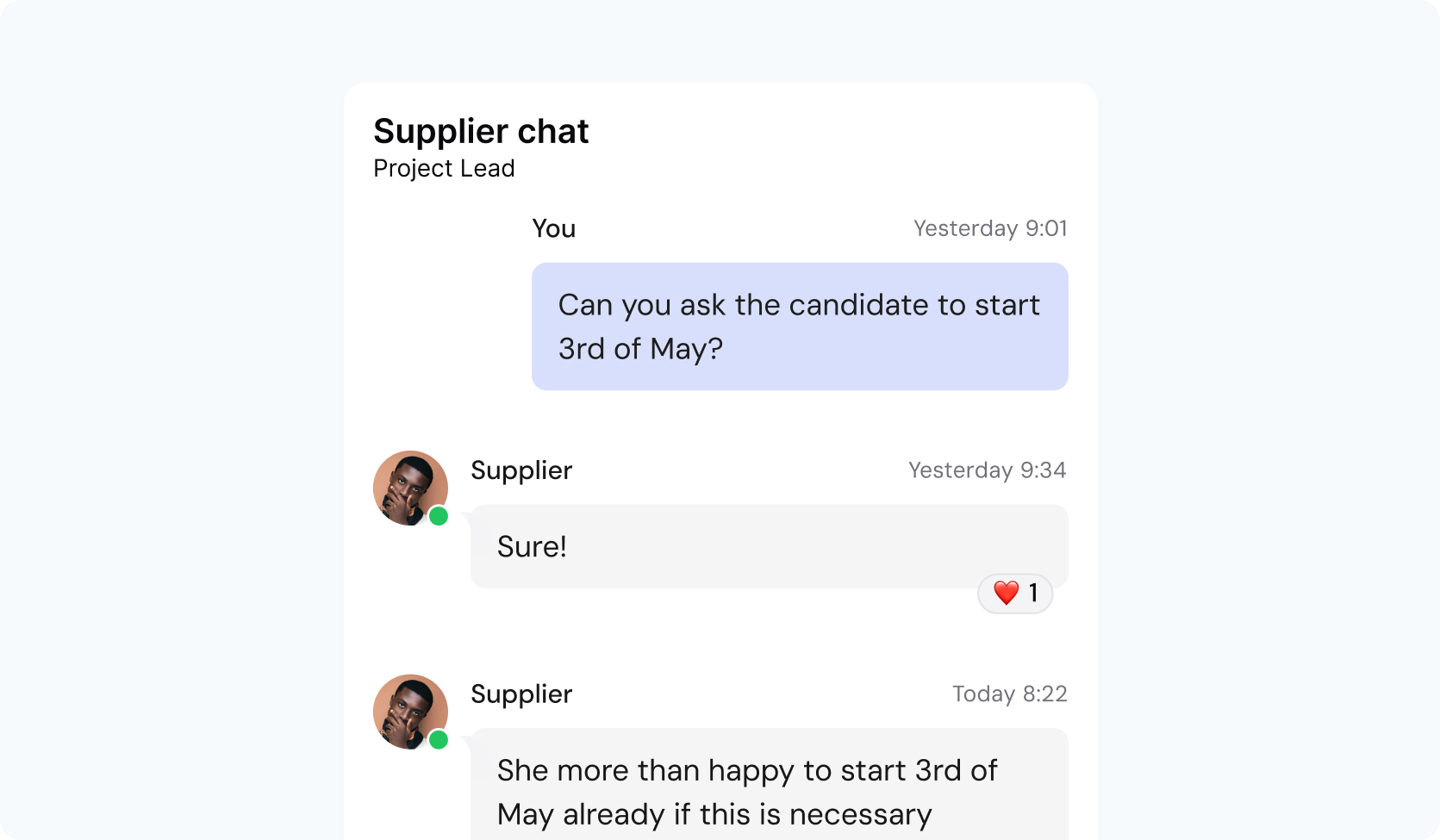
What this means for hiring teams
All candidate discussions in one place
Every clarification, negotiation, and document request lives alongside the candidate in Fill, making it easy to understand the full decision context.
Clear ownership of supplier communication
Only the request owner can initiate or resume conversations, ensuring accountability and preventing parallel discussions outside the platform.
Better visibility across the organisation
Superusers and reporting roles can view conversations for transparency and oversight, while request owners remain in control of communication.
Never miss important updates
Unread message indicators highlight when suppliers respond, so hiring teams can quickly see where action is needed.
Structured history for better decisions
Conversations remain accessible even when candidates are rejected, withdrawn, or requests are closed, preserving the decision trail.
By keeping supplier dialogue connected to the candidate, teams gain better control, stronger transparency, and a clearer hiring process.
Better interview scheduling with connected calendars
Scheduling interviews often requires switching between tools to avoid double-booking. Even when calendars are connected, many systems rely entirely on calendar availability, which doesn’t always reflect when hiring managers actually want to interview candidates.
Fill now supports a more flexible approach.
Hiring managers can connect their external calendars while still manually selecting the interview slots they want to offer.
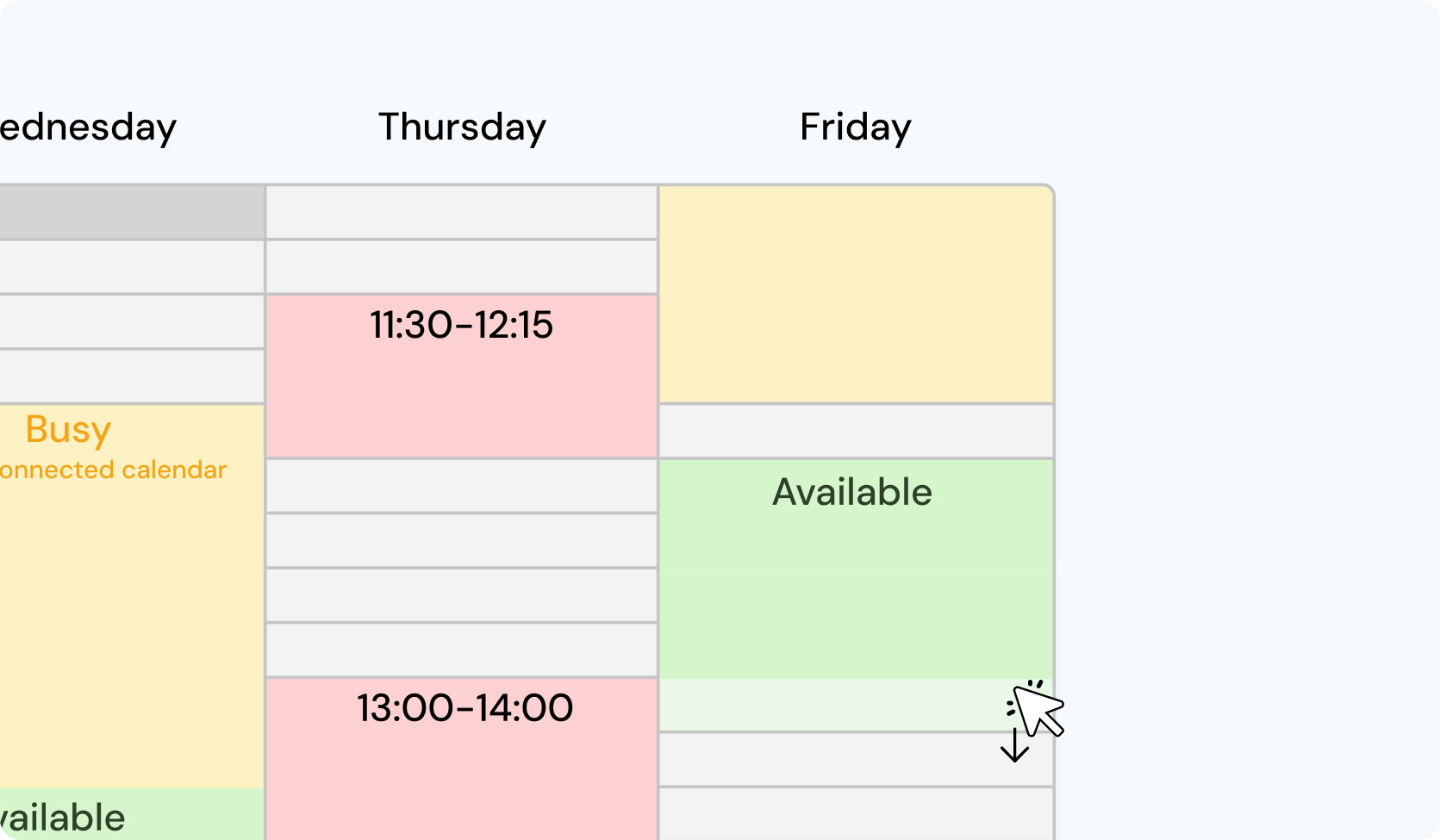
What this means for hiring managers
See existing commitments while scheduling
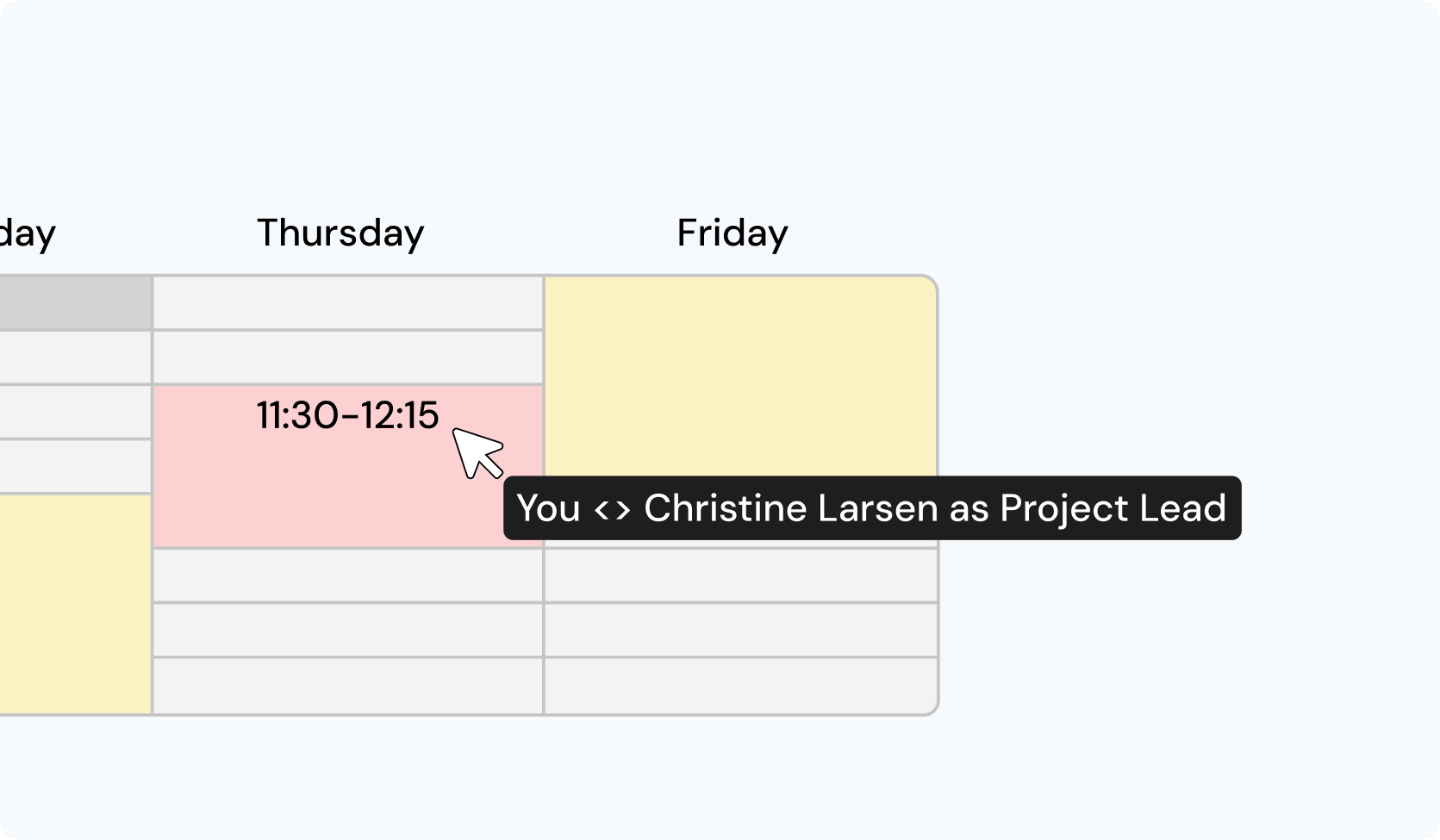
When selecting availability, your calendar meetings appear as blocked time slots so you can easily avoid conflicts.
Choose the interview times yourself
Instead of relying solely on calendar availability, you can manually select the specific times candidates are allowed to book.
Unified view of unavailable time
Both existing meetings and interviews already booked through Fill appear as blocked slots, giving you a clear picture of when you’re unavailable.
Video conferencing ready
Connecting your calendar enables video meeting options such as Microsoft Teams, Google Meet, or Zoom.
Privacy preserved
Calendar events are displayed only as blocked time—no titles, participants, or sensitive information are shown.
This approach combines the convenience of calendar integration with the control hiring managers need when scheduling interviews.
Designed to reduce friction in hiring workflows
Both of these updates are focused on a simple goal: making it easier for teams to manage hiring decisions inside Fill.
Supplier conversations now stay connected to the candidates they relate to, and interview scheduling becomes clearer when calendars are connected.
The result is less context switching, better transparency, and smoother collaboration across hiring teams and suppliers.
February 1, 2026
January updates
Change log
We’ve shipped a set of improvements focused on governance, ownership, and smoother day-to-day workflows for buyers and managers. Here’s what’s new:
Assignment extensions for approval
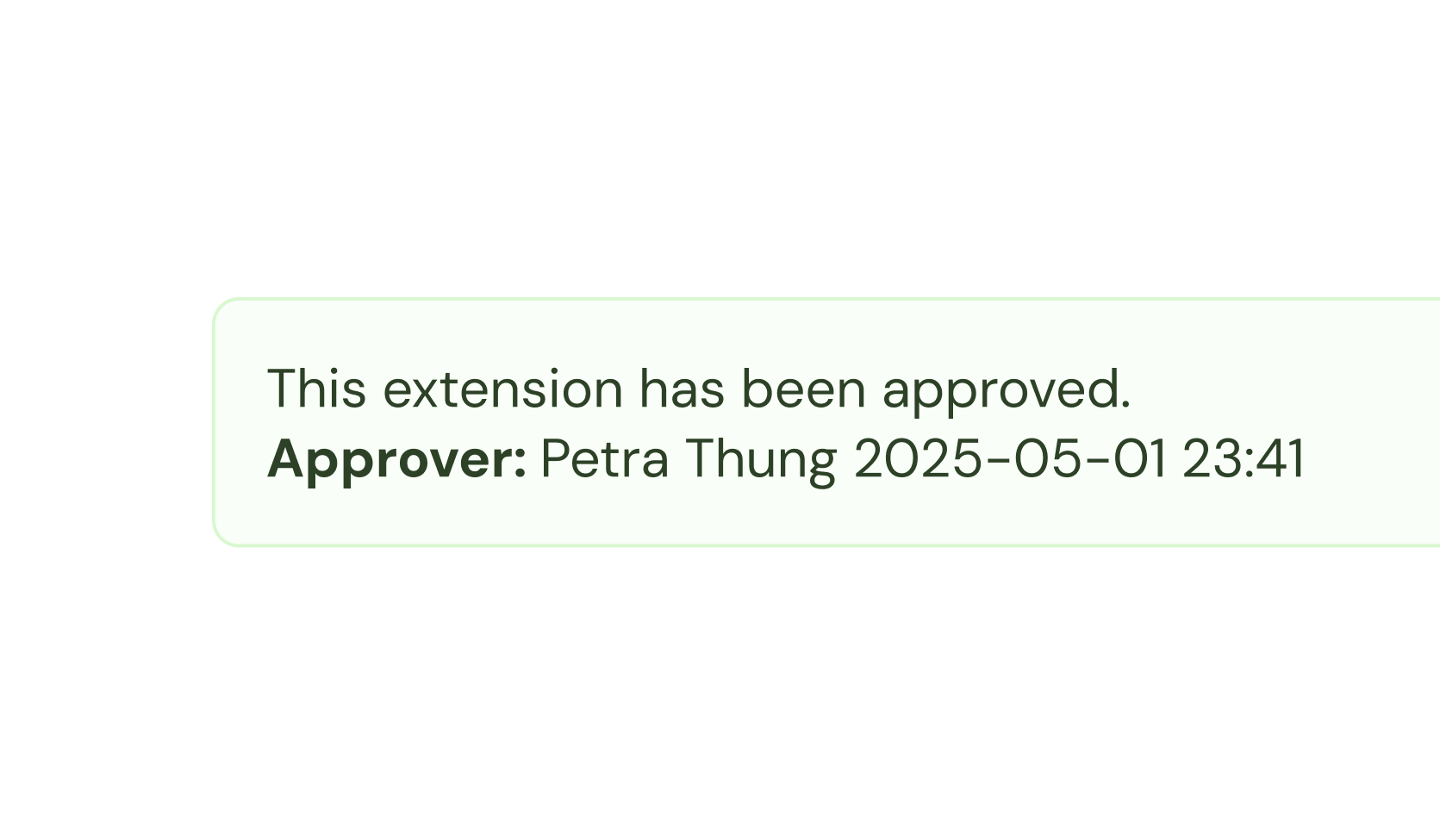
Assignment extensions now allows the same approval workflow as for new requests. Admin users can review, approve, or reject extensions in one unified interface, while hiring managers submit extensions and receive clear decisions. This ensures consistent governance and full auditability across all assignments.
End-date notifications
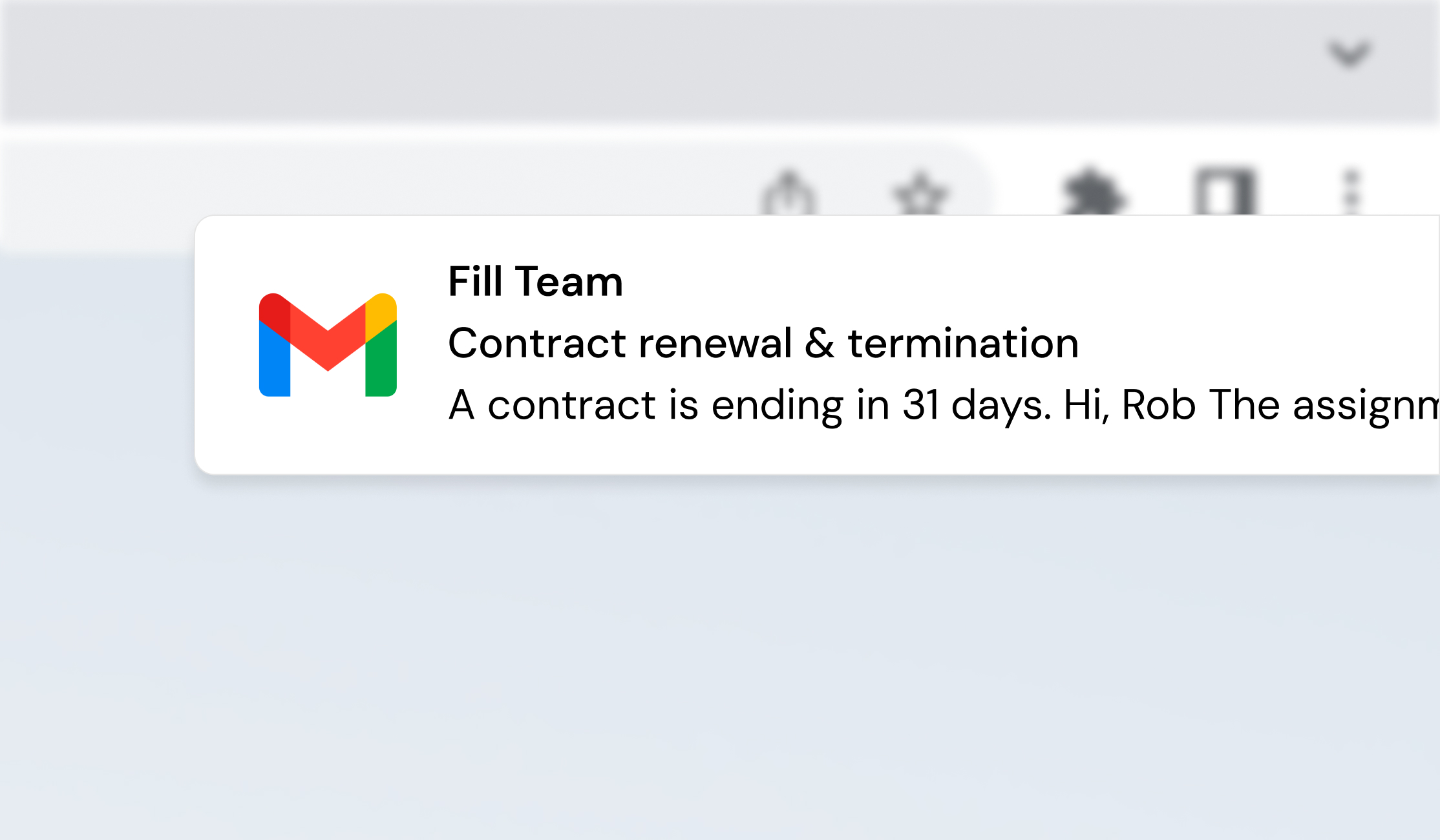
Contract end-date reminders are now sent directly to the assignment managers responsible for each assignment. This gives you timely, actionable alerts with clear context, while reducing notification overload for admins.
Request edits to published requests
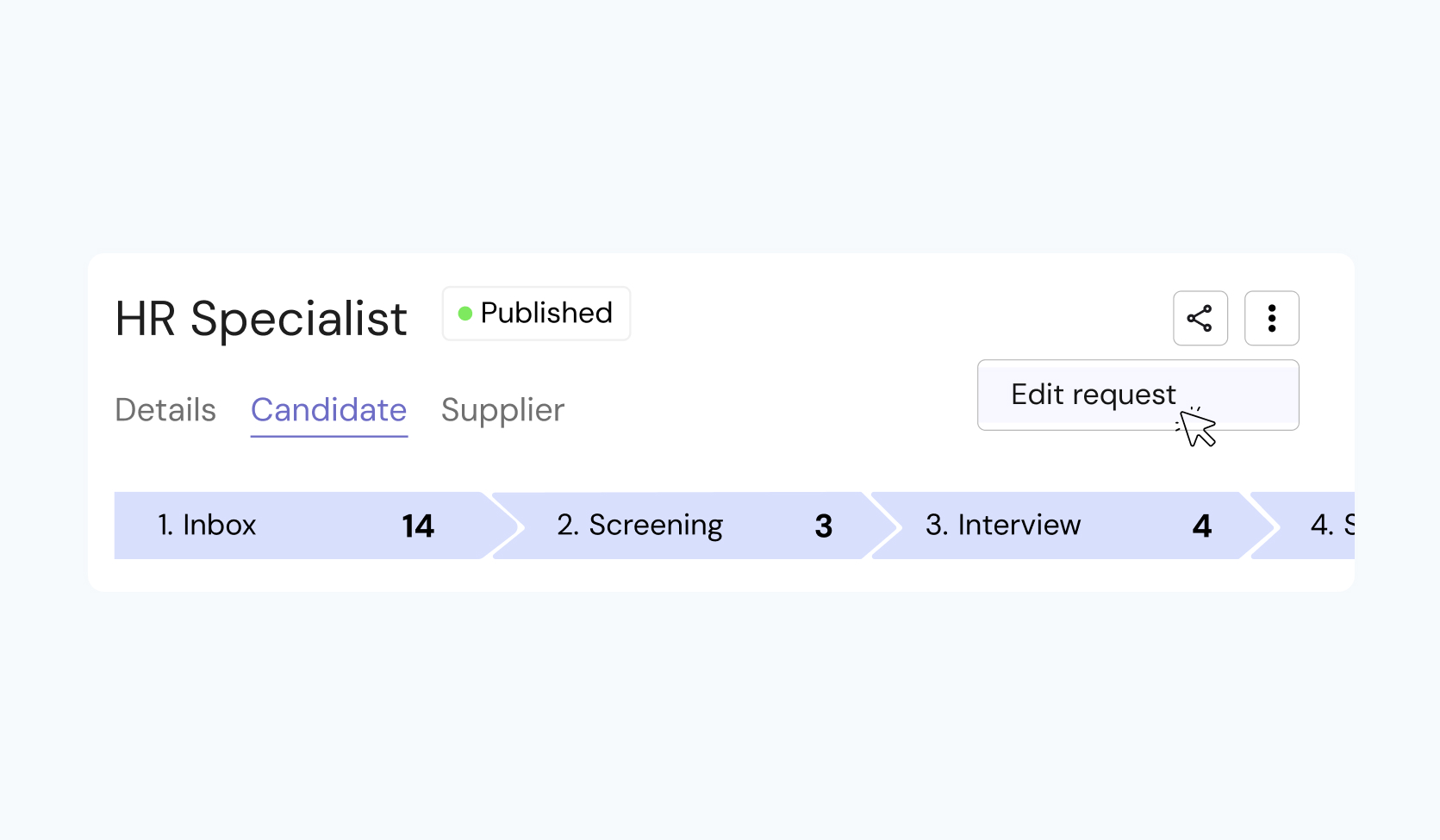
If you need to correct a published request, you can now submit an edit request directly in Fill. Describe what needs to change and send it for review, no emails or calls to support required. All requests are tracked and handled in one place.
That’s it for this release
These updates give you more control, clearer ownership, and stronger governance, without adding friction to your workflows.
January 5, 2026
December

Fill new look: faster, calmer interface (Bootstrap → Spartan)
Over the past years, Fill has grown quickly—features shipped fast, workflows expanded, and different parts of the product evolved at different speeds. That helped us move, but it also left us with a UI that sometimes felt inconsistent: small visual differences, components that behaved slightly differently from page to page, and more manual UI work than we want—both for us and for you.
We’re changing that.
We’re migrating the product from Bootstrap to Spartan, our design system. This is a foundational UI upgrade focused on one outcome: make it easier to act—with less friction, fewer surprises, and a faster feel across the product. Read more here.
The philosophy
Good enterprise software shouldn’t feel “enterprise.”
It should feel obvious.
Our approach is simple:
- Clarity over decoration — the UI should explain itself
- Consistency over options — fewer patterns, used everywhere
- Speed as a feature — the product should feel immediate
- Systems over one-offs — less manual tweaking, more reliable UI
Spartan is how we make that real across the whole platform.
What’s changing (and why you’ll notice it)
- A more consistent experience
- Buttons, tables, modals, forms, and navigation follow the same rules everywhere—so you don’t have to re-learn the UI depending on where you are.
- Faster interaction
- Cleaner component structure and fewer UI “workarounds” means less latency, fewer layout glitches, and a snappier product feel.
- Easier to take action
- We’re simplifying spacing, hierarchy, and states (empty, loading, error) so next steps are clearer—especially in high-volume workflows.
- Better foundation going forward
- This migration reduces the internal “manual twiddling” needed to keep pages consistent, which means we can ship improvements faster—without introducing UI debt.
What stays the same
- Your data, permissions, and workflows stay intact
- No migration work is required from your side
- This is a UI foundation upgrade, not a workflow redesign (unless explicitly communicated in a specific release note)
Rollout timing
We’ll roll this out gradually during Q1 2026:
- Pages will update in batches rather than everything changing overnight
- You may see some areas updated earlier than others during the rollout window
We’ll keep release notes updated as key sections move to Spartan.
What’s next
Once the foundation is in place, we’ll use Spartan to improve:
- information density (more signal, less noise)
- navigation speed (fewer clicks for common actions)
- workflow guidance (clearer statuses, next steps, and exceptions)
- accessibility and quality (keyboard support, focus states, predictable UI behavior)
December 4, 2025
November updates
Change log
This iteration is focused on reducing friction in the workflows that drive daily progress approvals, budgeting, candidate review, documentation, and contracting. The goal is to make key steps easier to complete, easier to track, and easier to trust, with more clarity and better self-service for every stakeholder.
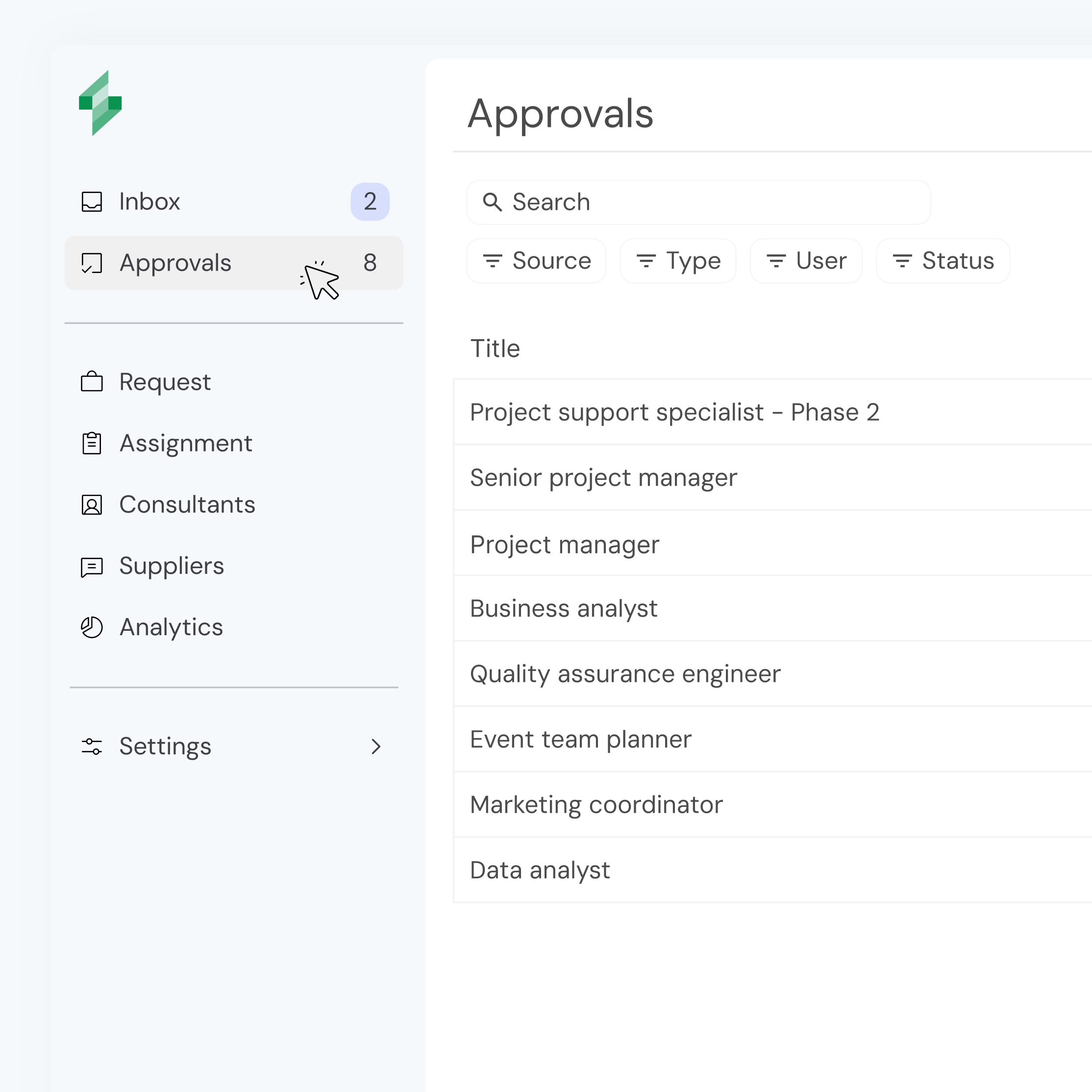
Approvals Hub
A dedicated Approvals space for super users, bringing all approval items into one unified view with clear visibility of pending and historical decisions. It includes filtering, export support, and consistent statuses to make governance, follow-up, and audit trails easier.
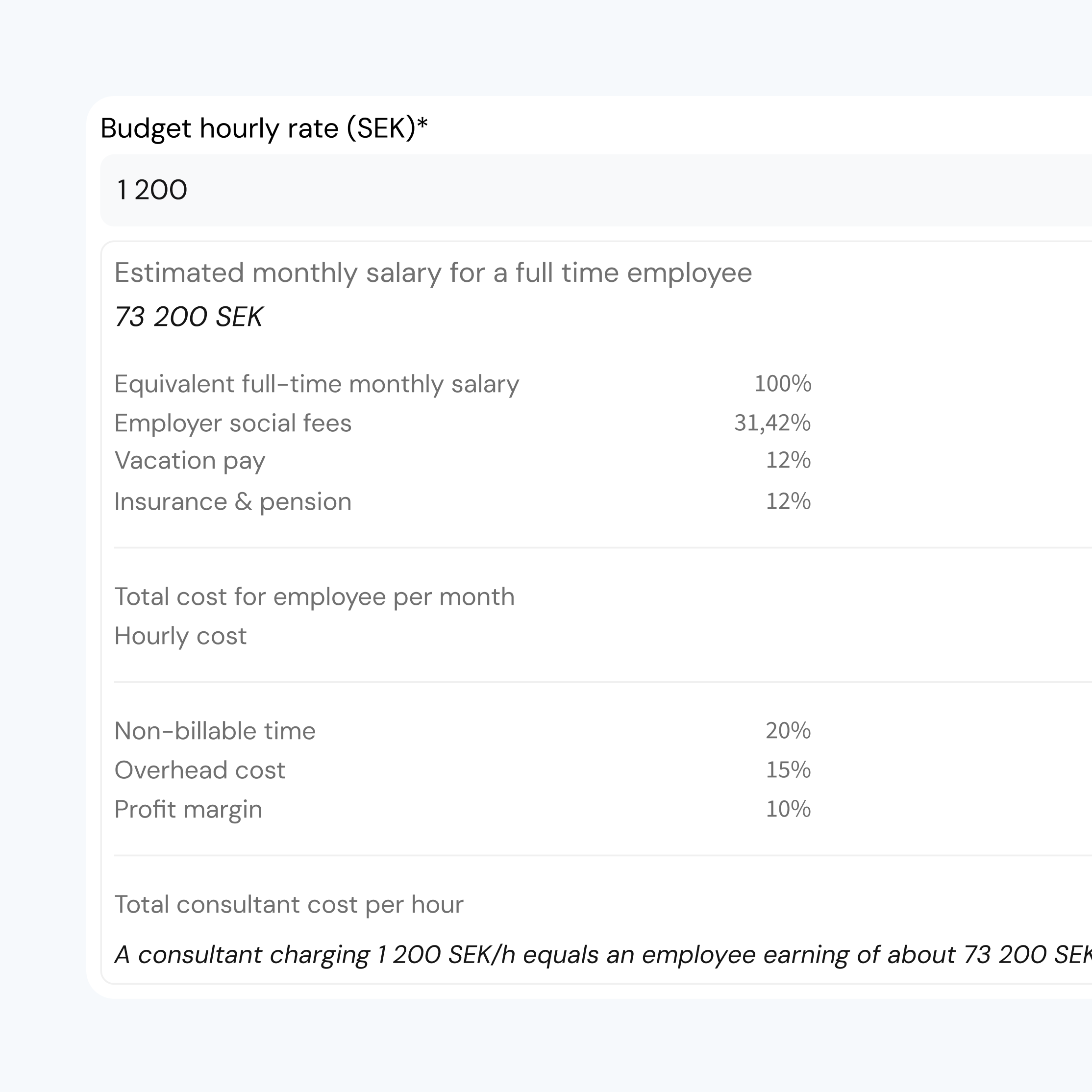
Budget with Confidence
We streamlined budget input to hourly-only and added a real-time monthly salary equivalent so you can validate rates against familiar benchmarks while typing. An expandable breakdown explains the underlying components, reducing uncertainty and support dependency.
Cleaner View + Progress Visibility for Suppliers
Suppliers can now review interim candidates with less cognitive load through a clearer, more focused interface that removes the need for horizontal scrolling. We also added visibility into the buyer’s evaluation progress, helping suppliers respond faster without chasing updates.

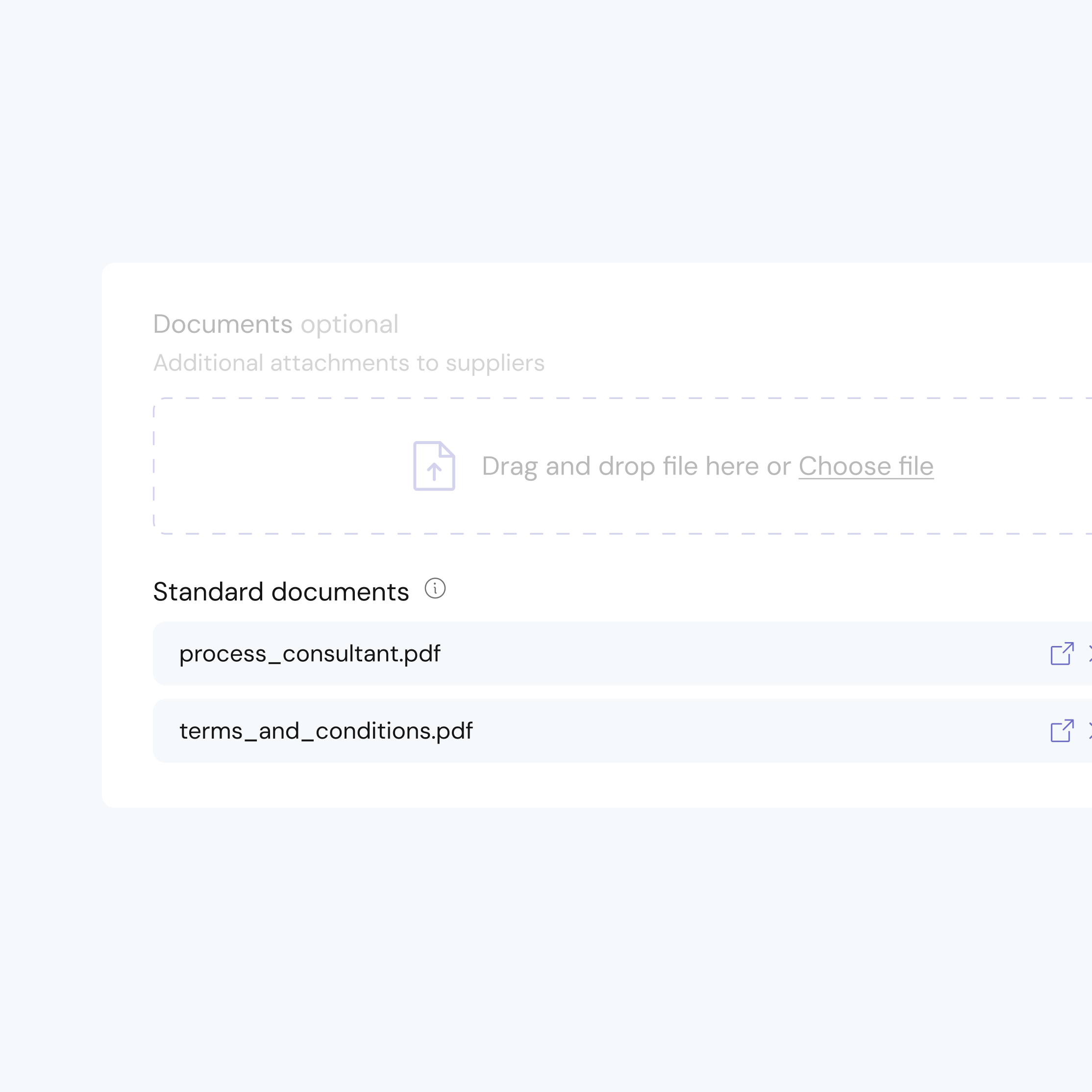
Organisation Standard Documents
Organisations can now upload and manage standard documents in one place, which are automatically attached to new requests by default. This reduces manual handling, lowers the risk of outdated links or terms, and gives request owners more confidence when sending requests.
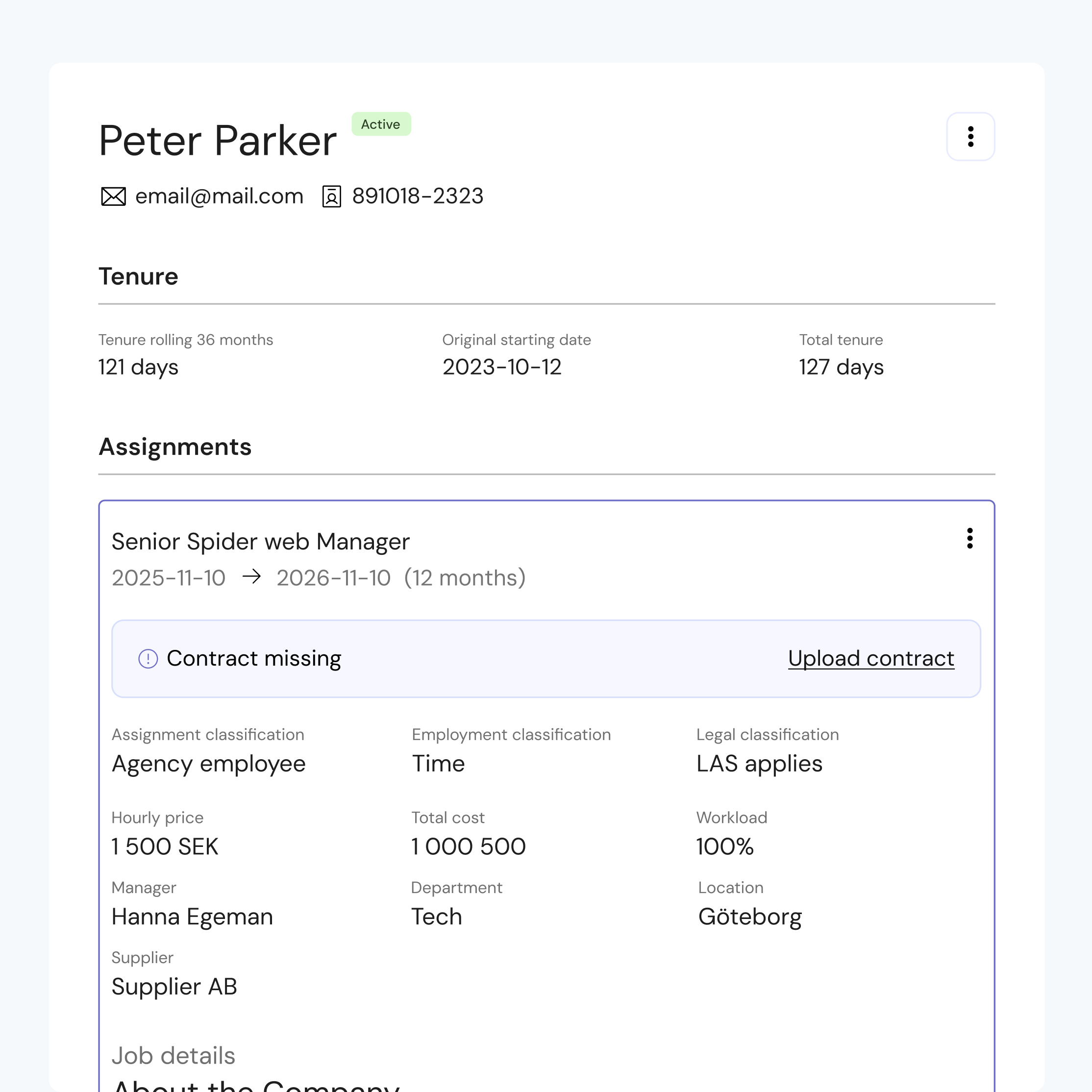
Contracting Anytime
Contracts are now easier to complete after an assignment is created or extended even if the contract step was skipped initially. Users can clearly see when a contract is missing and finalise contracting later, including initiating template-based contract generation where available.
Alongside these improvements, we’ve also shipped a range of smaller enhancements and fixes, squashing bugs, improving performance, and polishing everyday details to make the platform feel smoother and more reliable overall.
October updates
Change log
This month’s updates make it easier to trust your numbers and know exactly when a request is good to go.
Sharper analytics with improved filtering and logic
Analytics in Fill now better reflect how you actually manage consultants. Filters are more consistent across views, so when you slice by time period, supplier, department, or status, you get matching numbers everywhere. The underlying logic has been tightened, which means fewer surprises between dashboards and exports, and more confidence when you present consultant spend to stakeholders.
Use the updated views to track active consultants over time and see your top suppliers by contracted cost in seconds.

Clear approval stamps on every request
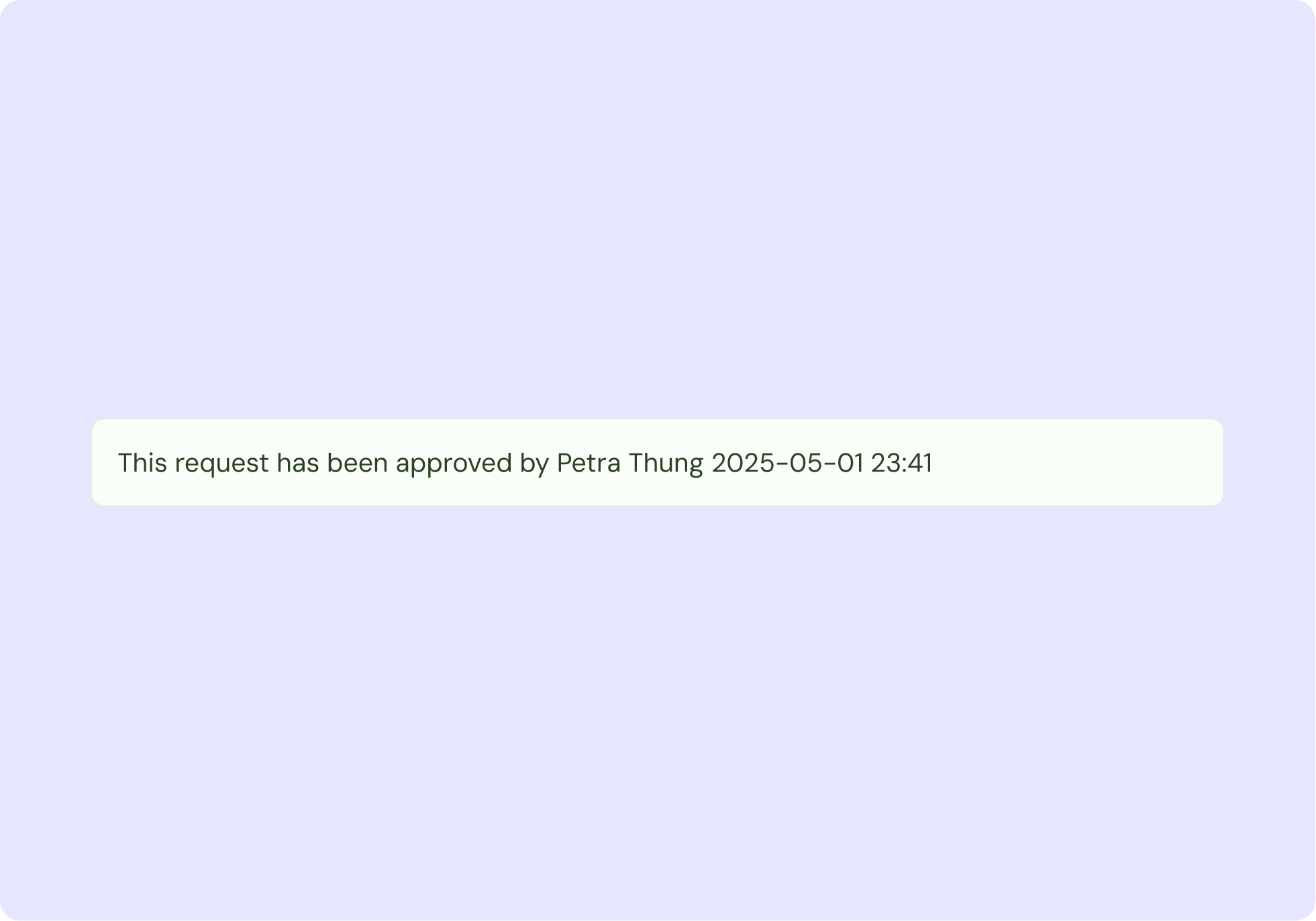
Every request now shows a visible approval stamp with who approved it and when. No more guessing if a role is really signed off, or digging through email threads for confirmation. Managers, controllers, and procurement all see the same, unambiguous status inside Fill.
This makes it easier to start sourcing, launch assignments, and stay compliant with your internal approval process.
Publish, pause, and close requests in one place
You can now publish or unpublish requests directly in Fill. When plans change, you simply pause or close the request instead of deleting it, and suppliers are notified automatically. This keeps your pipeline clean while making sure no one keeps working on roles that are on hold.

Automatic onboarding sequence when a consultant is signed
The moment a consultant is signed, Fill sends onboarding handover emails automatically. Each email includes clear, organisation-specific steps so hiring managers know exactly what to do next. No missed tasks, no awkward first days—just a smooth start for every consultant.

And some bug fixes…
That’s all for this release.
We’ll keep iterating to make Fill the most reliable way to understand your consultant spend and keep your processes on track.
Product questions?
Want to know more about these updates or discuss what’s next on the roadmap?
Talk to the product team. Excited to hear your thoughts.
October 3, 2025
September updates
Change log
We’ve released a set of improvements to make consultant workforce management in Fill even smoother, more consistent, and faster.
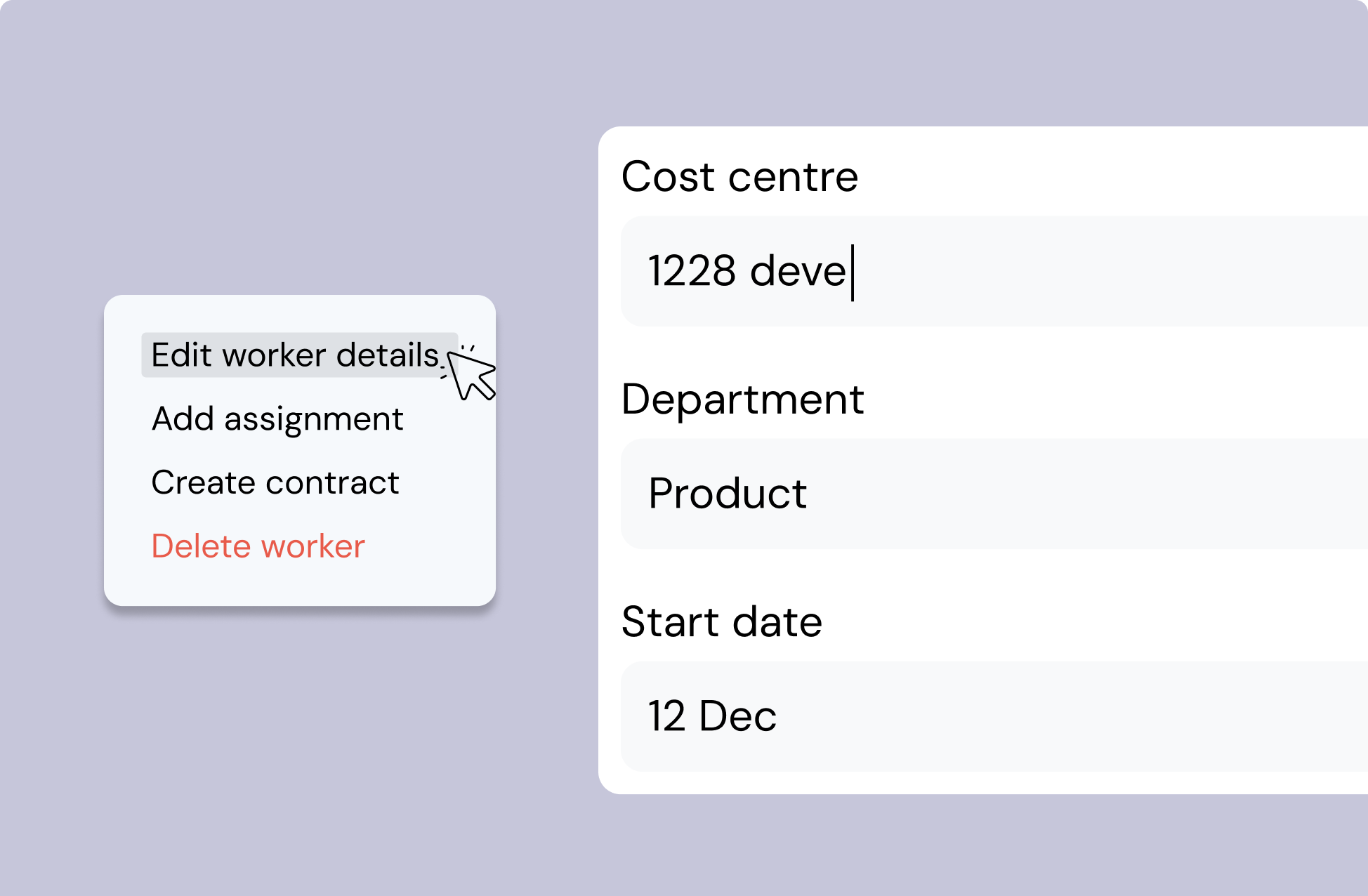
Managers can now edit all assignment details
Managers no longer need to rely on back-office support for updates. All assignment details, from project name and supplier to costs and documents, can be edited directly. This means faster updates, cleaner data, and more control where it belongs.
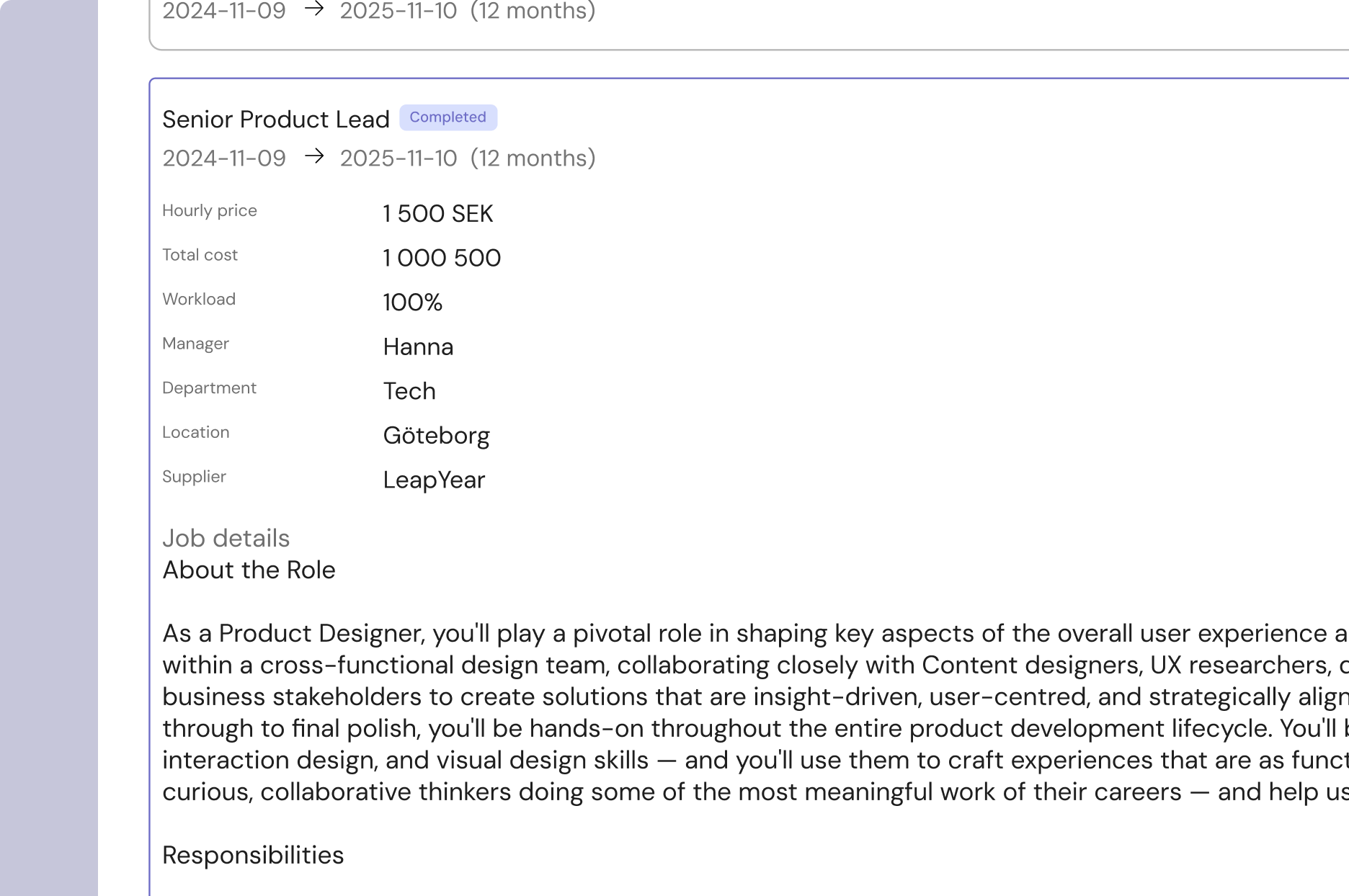
Assignment descriptions added
Assignments now include a description field, making it easy to capture and carry forward context. Whether signed from RFPs or created manually, every consultant assignment can tell its own story — improving clarity and insights.
Standardised departments
Department names are now standardized with dropdowns instead of free text. No more messy duplicates like Engineering, engineering, Enginneering. Clean, reliable data for reporting and analysis.

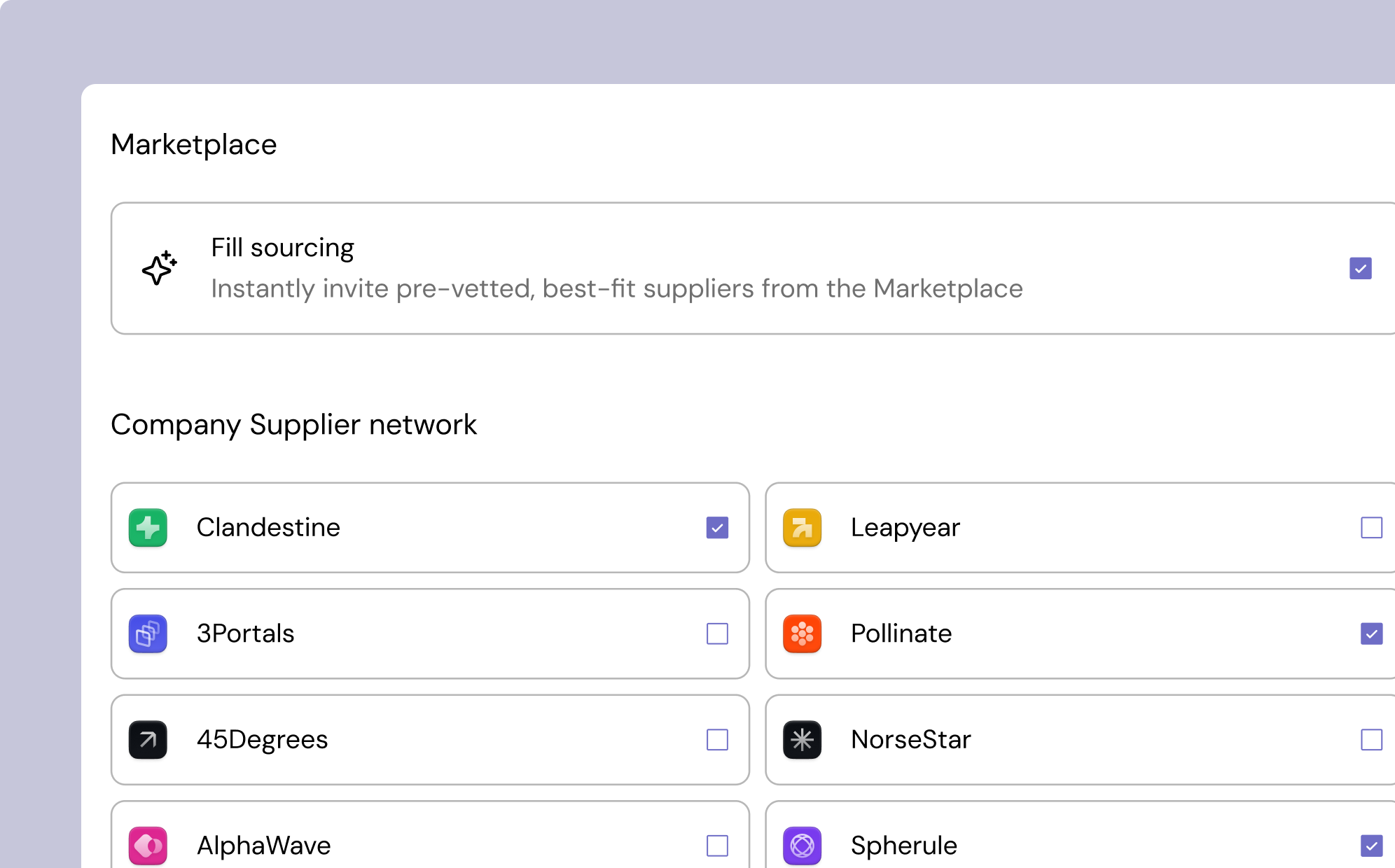
Unified supplier selection in RFP creation
When creating an RFP, buyers can now invite suppliers from multiple sources at once — marketplace, company network, or manual entries. This ensures broader coverage from the very beginning, with less effort.
And some bug fixes...
That’s all for this release.
We’ll keep iterating to make Fill the most powerful and seamless way to manage your consultant workforce.
September 1, 2025
August updates
Fill’s Latest Update: Faster Hiring, Smarter Approvals, Clearer Analytics
At Fill, we’re building tools that save you time and give you clarity. Our latest product updates make hiring, approvals, and analytics for your contingent workforce more seamless than ever. Whether you’re a procurement leader, HR manager, or superuser, these new features were designed with you in mind.


Continuous Improvements: Bug Fixes & Polishing
We’ve also rolled out several bug fixes and under-the-hood improvements to ensure Fill runs smoother than ever.
Why This Matters
Each of these updates was designed to reduce manual work, improve compliance, and make decision-making clearer. Whether it’s scheduling interviews, approving proposals, or tracking spend, Fill gives you the tools to stay ahead.
August 5, 2025
Summer Updates
Hello Fill Users,
As we embrace the warmth of summer, we are thrilled to announce a series of updates aimed at enhancing your experience with Fill. Our team has been hard at work to bring you features that not only simplify your workflow but also empower you with greater insights and control. Here’s what’s new:
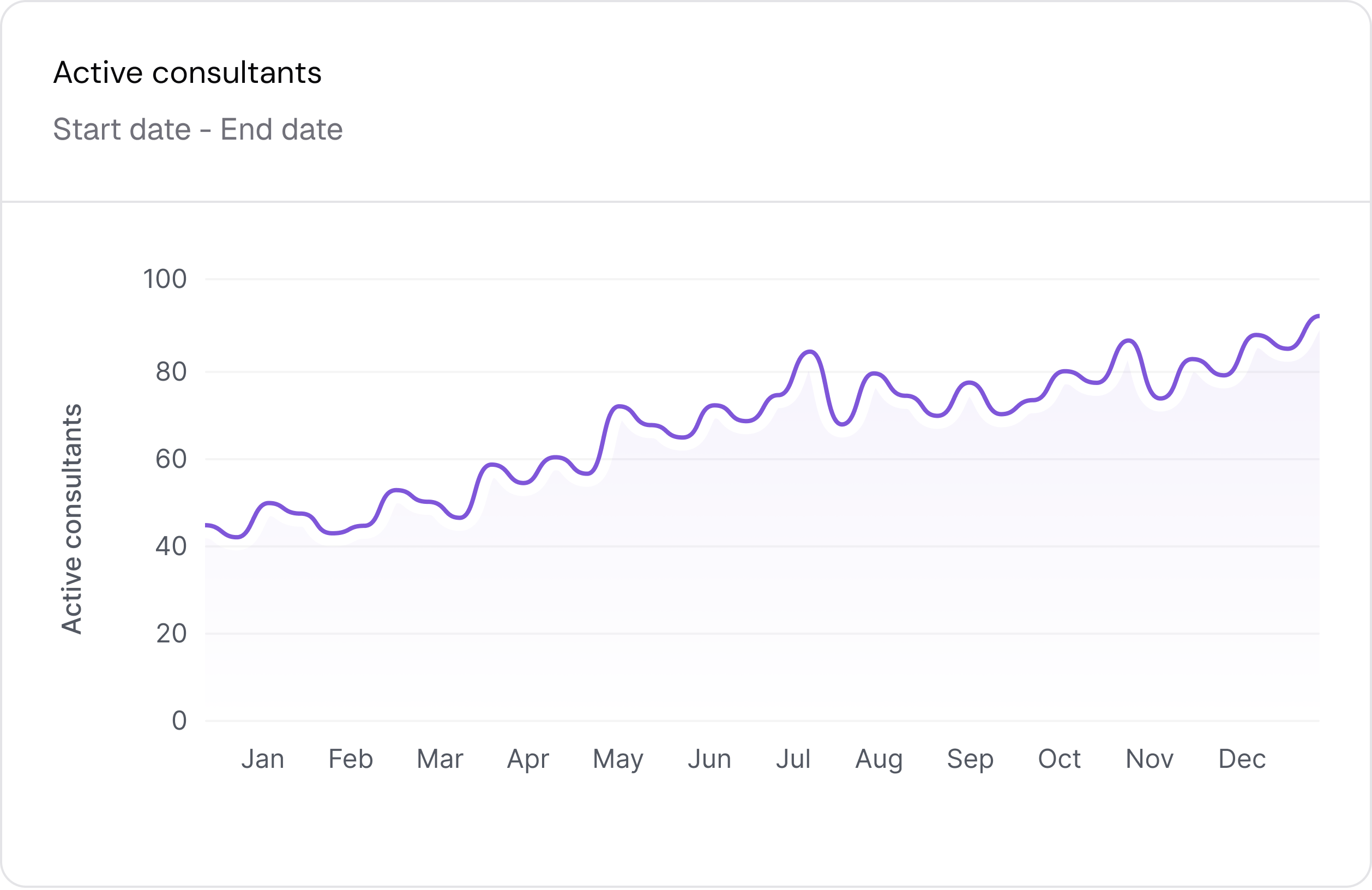
📊 Advanced Reporting Tools
Our reporting tools have been upgraded to provide deeper insights into your hiring processes. Generate reports that help you analyze trends, track performance, and make data-driven decisions.
- Custom report generation
- Visual data representation for easier understanding
- Export options for sharing with your team

Approval Management
Users can now manage internal approvals for all new requests, ensuring a smoother workflow. Custom approval chains are available upon request, allowing for tailored processes that fit your organization's specific needs.
- Route approval
- Review before publish
- Get a glance of total cost of assignment

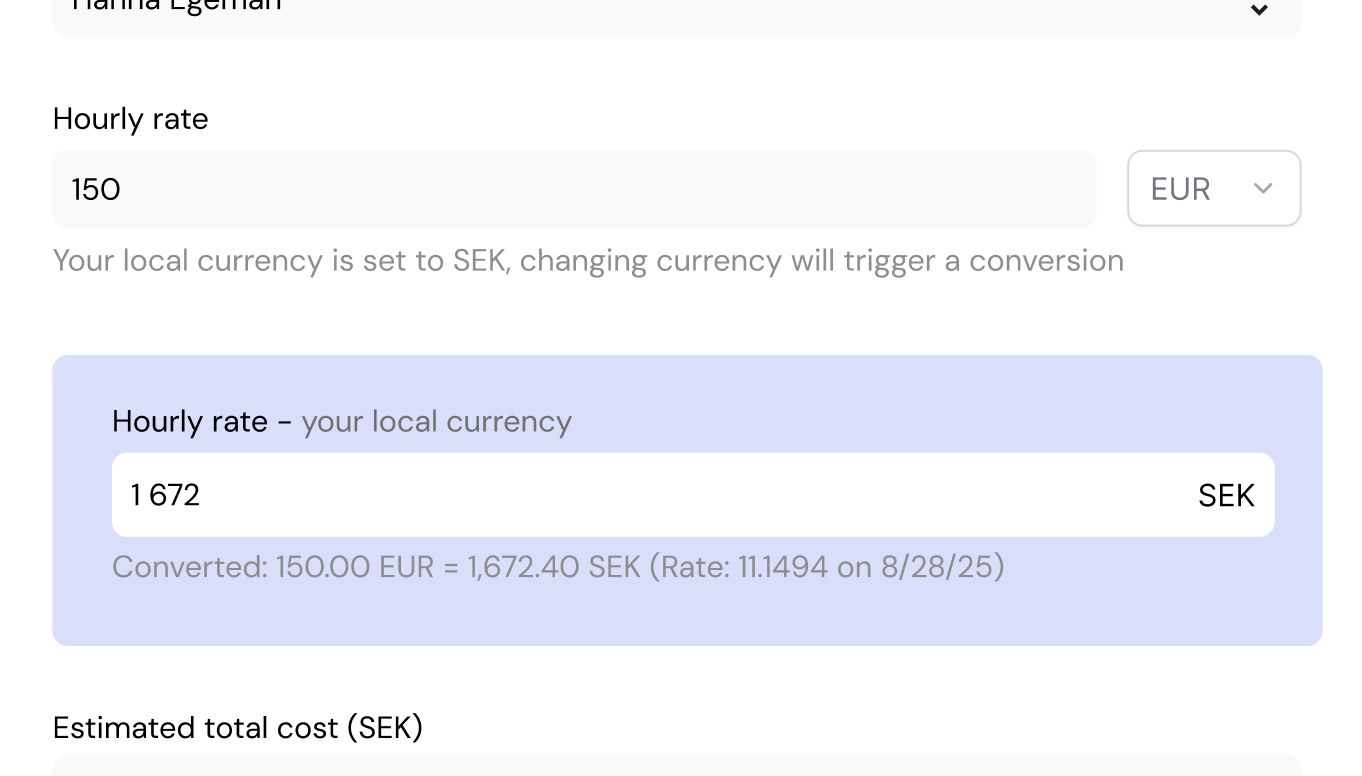
Bidding in multiple currencies
Fill now offers robust foreign exchange (FX) management capabilities, simplifying the complexities of dealing with multiple currencies. This feature is particularly beneficial for clients employing contingent workers across various regions. By automating FX processes, users can focus more on strategic problem-solving with consultants rather than getting bogged down by currency conversion issues.
- Automated foreign exchange management
- Comprehensive currency management
- Vendor management
These updates are designed to enhance your productivity and streamline your operations. We encourage you to log in and explore these new features today!
As always, we value your feedback. If you have any questions or suggestions, feel free to reach out to our support team.
Best wishes,
The Fill Team ✌️
August 5, 2025
June Updates
Hi ,
Fill Product team here!
It is almost summer time.
This release is all about giving you more control, less manual work, and better visibility across the platform. Here's what's new:
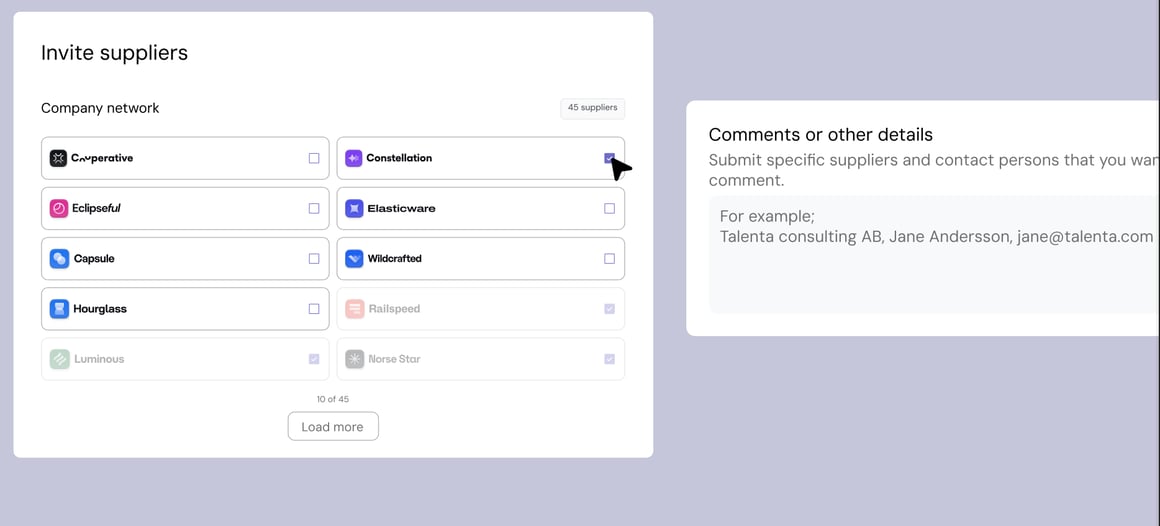
✅ Invite More Suppliers to Active Requests
You can now expand your supplier pool at any time—no need to contact support.
- Choose vendors from your existing network
- Let Fill source new options from the marketplace
- Or add external contacts manually
🔄 Re-send Account Invites
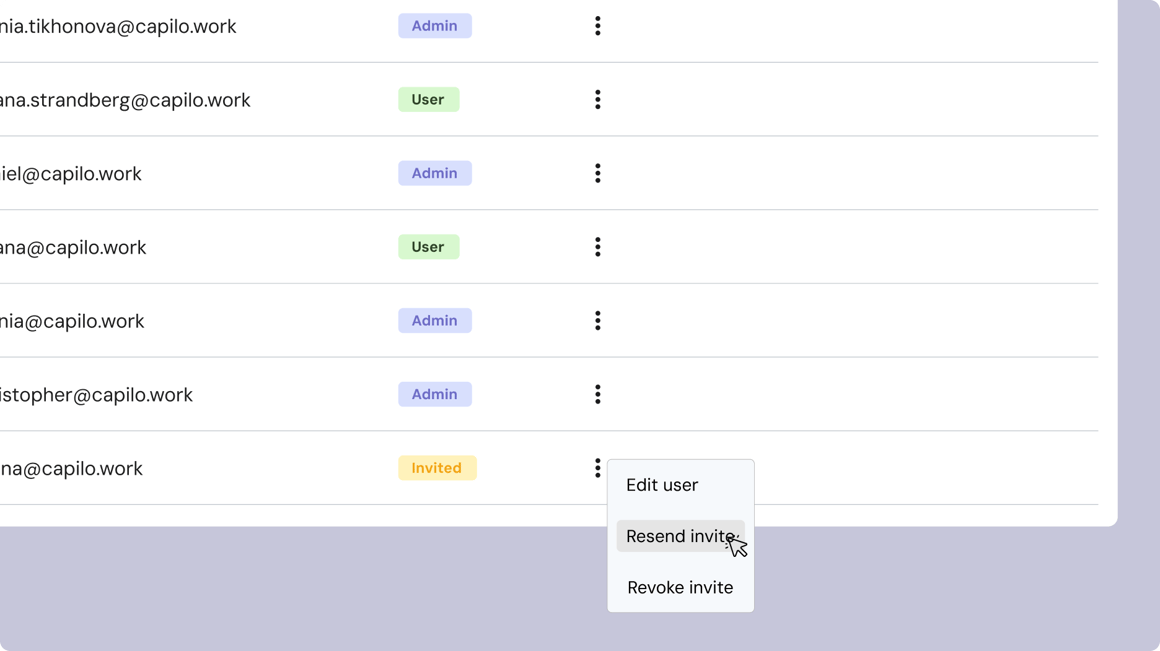
Superusers can now re-send invitations to users still in “Invited” status.
Speed up onboarding and reduce dependency on support.
Edit name and change or update roles
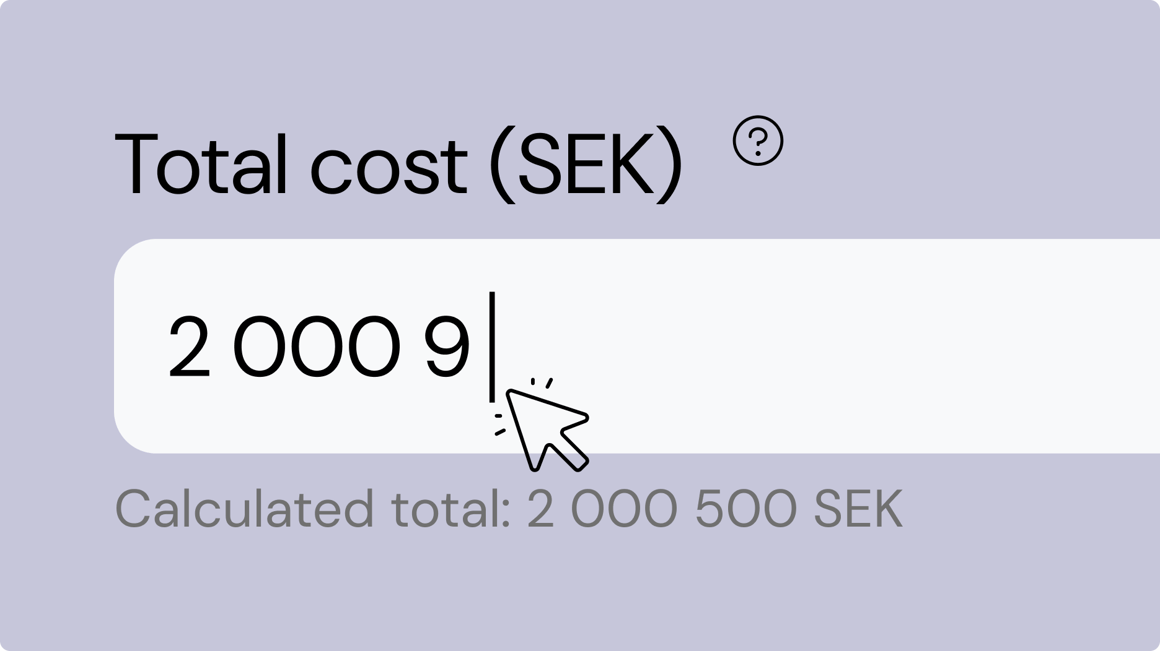
🧮 Automatic Total Cost Calculation
We now automatically calculate the total cost of an assignment based on rate, workload, and duration.
- Live updates help you stay on budget
- You can still manually adjust the total if needed
- Easily track assignment cost without opening excel
🕵️ Enhanced Audit Trail
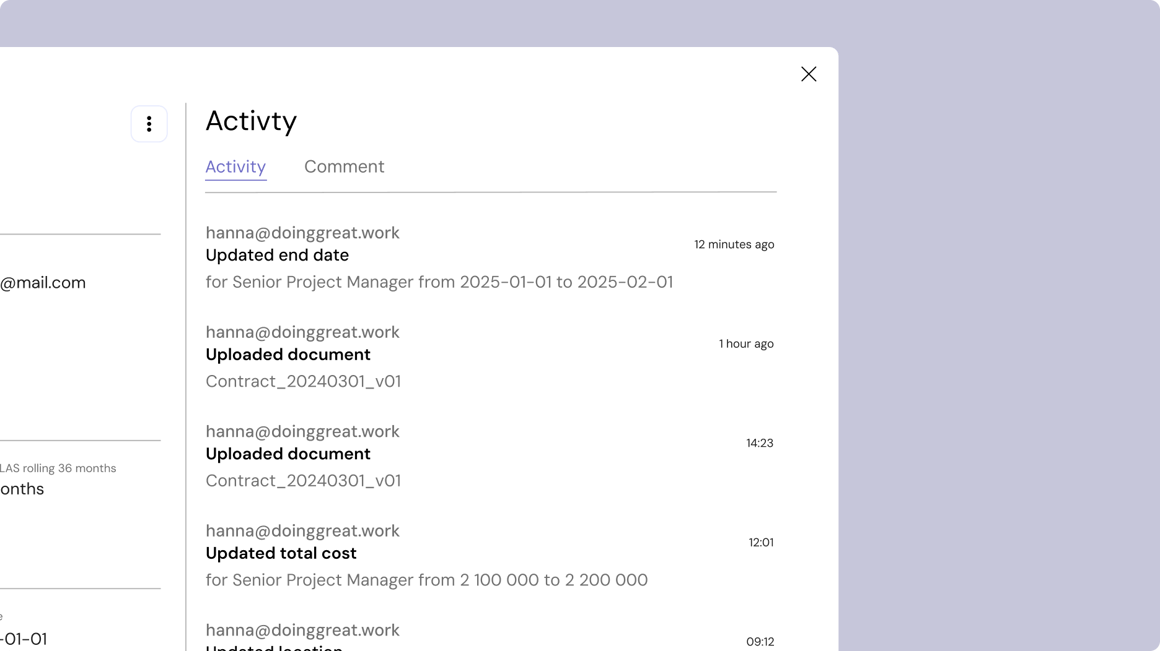
You’ll now see detailed logs for changes like:
- Name updates
- Contract deletions
- Rate adjustments
- Recent actions (e.g., updates to dates, documents, or costs) are clearly logged with timestamps and user information.
Superusers have full traceability—no more blind spots.
These updates are live. Log in to Fill and explore the new features today.
Have questions or feedback? We're always listening.
Best regards,
The Fill Team ✌️
August 5, 2025
May updates
At Fill, we’re all about simplifying your workday. And in April, we’ve rolled out a series of improvements designed to make managing candidates, assignments, and requests more seamless than ever. Whether you're sourcing top consultants, collaborating with hiring managers, or customizing your requests, these updates are here to streamline your workflow and boost team alignment.
Here’s what’s new and why it matters:
Improved Candidate Information – Now With Commenting
Comparing and managing candidates just became a whole lot easier. We’ve redesigned the candidate card to offer a more structured and user-friendly layout. But that’s not all—we’ve also added a commenting feature, allowing your team to discuss and align on candidate decisions directly in the platform.
Key improvements:
- A cleaner, more readable card layout
- Comment threads for real-time feedback and internal discussions
- Quick access to CVs and supplier notes
Now, instead of juggling Slack threads or separate documents, you can centralize your insights and act on them faster—right where the decisions are being made.

Associate Hiring Managers With Assignments
Do your assignments sometimes get bottlenecked due to unclear workflows? We hear you. You can now link hiring managers directly to consultant assignments, helping you manage approvals more efficiently and improving data tracking for future reporting and lifecycle features.
What this means for you:
- Easily assign existing managers or create new ones
- Prevent duplicate entries with smart email validation
- Build structured data that will support even more features in the future
Better tracking, smoother workflows, and clearer accountability—it’s all coming together.

Upload Documents Directly in Requests
We know that every consultant request is unique. Sometimes it involves special terms, instructions, or even confidential handling. That’s why we’ve added the ability to attach documents and add comments directly within your request forms.
You can now:
- Upload documents like NDAs, scope outlines, or special contract terms
- Provide instructions for suppliers or internal stakeholders
- Ensure admins can review and revise before RFQs are sent out
- Make all attachments visible and downloadable for both buyers and suppliers
This enhancement adds a new layer of flexibility and clarity, ensuring your requests go out with all the context they need.

All Features Are Now Live
These new features are already available in your Fill account—just log in and start exploring! Whether you're recruiting, reviewing, or requesting, Fill now gives you even more control, clarity, and collaboration.
We’re Listening
Have questions? Want to share feedback or ideas? Our team is always just a message away. We’re building Fill with you—and for you—so your input helps us prioritize what matters most.
Stay tuned for more exciting updates in the months ahead!
– The Fill Product Team ✌️
April updates
At Fill, we’re committed to making your hiring process as seamless and effective as possible. That’s why we’re excited to roll out two major updates designed to bring you smarter insights, greater transparency, and more control—without adding extra work for your team.
Let’s take a closer look at what’s new:
Real-Time KPI Counters

Manual aggregation is a thing of the past.
With our new Real-Time KPI Counters, you’ll instantly see key metrics right where you need them—at the top of your consultant overview table.
These counters provide a clear, live snapshot of your workforce at any given time, including:
- Active consultants
- New consultants added
- Contracts ending soon
This means no more switching tabs or exporting data just to get a basic understanding of what’s happening. With these KPIs front and center, you can make faster, data-driven decisions, spot trends early, and confidently manage your contingent workforce—all in one place.
Whether you're planning ahead or responding to changes, these insights are now always just a glance away.
Supplier Status & Tracking
The sourcing process is full of moving parts, and understanding where you stand with each supplier can be challenging. Our new Supplier Status & Tracking features bring much-needed clarity and transparency to your vendor interactions.
Now, directly within Fill, you can track real-time supplier activity across key touchpoints, including:
- Which suppliers were contacted
- Who has declined or not responded yet
- How many candidates each supplier submitted
- Whether a supplier is pre-approved—either via the Fill Marketplace or your own trusted network
These insights not only help you stay on top of your sourcing efforts but also build greater trust and accountability across your recruiting ecosystem. No more chasing answers or digging through emails. With everything clearly displayed, it’s easier than ever to make confident hiring decisions and avoid unnecessary delays.


Smarter Hiring, Less Effort
Together, these updates empower your team to:
- Make more informed decisions with real-time data
- Manage your contingent workforce more proactively
- Stay compliant and aligned with sourcing timelines
And the best part? All of this comes without adding extra work for your team.
Want a quick walkthrough?
We’d love to show you around!
If you’re curious about how these features work in action—or want tips on how to get the most out of them—just reach out. We’re always happy to help.
– The Fill Team ✌️
January 3, 2025
March updates
We’re back with more updates designed to make your work life smoother—especially when it comes to staying compliant and organized. Compliance shouldn’t be complicated or time-consuming, and that’s exactly what this month’s updates aim to fix.
Here’s what’s new:
Classifying Assignments — For LAS Compliance
We've added more structure and clarity to assignments by including assignment status and employment status fields. Why does this matter? Because it makes it easier to know exactly when LAS (Lagen om Anställningsskydd) rules apply.
With this classification built directly into your workflow, you can ensure compliance is:
- Consistently tracked across all assignments
- Clearly visible for everyone involved
- Easy to audit if needed
This small but powerful change helps remove ambiguity from the hiring process and reduces the risk of oversight when it comes to legal employment protections.
-1.webp)
Monitoring Consultants — For the 24-Month LAS Limit
We know that tracking time-based limits like the 24-month LAS threshold can be a headache. That’s why we’ve introduced a monitoring feature to help you stay on top of it—without spreadsheets or manual reminders.
With this update, you can:
- Track consultants approaching the 24-month limit
- Log required actions to maintain compliance
- Stay proactive with alerts and clear documentation
This not only helps your team reduce manual work but also ensures you have a strong compliance record—ready if and when you need it.
.webp)

Smarter Hiring, Seamless Compliance
Both of these features are part of our mission to make compliance simpler and smarter. With these updates, you’ll be able to:
- Keep your consultant data more organized
- Avoid potential legal risks around LAS rules
- Save time and reduce admin work
And as always—no extra effort required.
Need a walkthrough?
We’d be happy to guide you through these new features or help you set them up based on your current workflows. Just let us know!
– The Fill Team
January 2, 2025
February updates
Managing a contingent workforce can feel like a juggling act—balancing hiring, compliance, and organization all at once. That’s why our team has been hard at work building features that take the stress out of the process and give you more control, structure, and peace of mind.
Here are the three big updates we rolled out in February to help you stay ahead:
New Worker Card – Everything in One Place
Say goodbye to scattered information and endless email threads. Our new Worker Card brings everything you need into a single, easy-to-navigate space—so you can focus on what really matters.
Here’s what you can now do with the updated Worker Card:
- ⚡ Track every change with a detailed audit trail for full compliance transparency
- ⚡ Collaborate more easily by leaving comments directly on the worker profile—no more inbox clutter
- ⚡ Upload and store documents tied to each individual worker, all in one secure place
Whether it’s keeping track of communication or storing important files, this update helps streamline your workflow and keep everyone on the same page.


AI Interview Guide – Fairer, More Structured Hiring
Inconsistent interviews can lead to hiring bias and missed opportunities. That’s why we’ve introduced the AI Interview Guide, designed to support hiring managers with structured, data-driven interview questions tailored to each role.
With this tool, you can expect:
- ⚡ Role-specific interview guides generated based on the job profile
- ⚡ Objective, structured questions to help remove bias and ensure fair evaluations
- ⚡ Smarter decision-making with less guesswork and more consistency
It’s the easiest way to standardize your interviews and raise the bar for hiring quality—no prep required.

Tenure Notifications – No More Compliance Surprises
Worried about tenure limits and LAS compliance? You’re not alone. We’ve added automated tenure notifications to help you stay compliant and avoid last-minute surprises.
With this update, you’ll be able to:
- ⚡ Get alerts in advance when consultants approach tenure thresholds
- ⚡ Stay compliant with priority and retention rules under LAS regulations
- ⚡ Skip the spreadsheets—tracking is fully automated
Compliance just got a whole lot easier.

A Smarter, More Connected Experience
These updates work together to help you:
- Hire more fairly and efficiently
- Stay compliant without the manual legwork
- Keep your workforce data organized in one place
All without adding complexity to your day.
Want a walkthrough?
We’d love to show you how these updates can support your workflow. Just reach out—we’re always here to help!
– The Fill Team ✌️
